About your monitor8
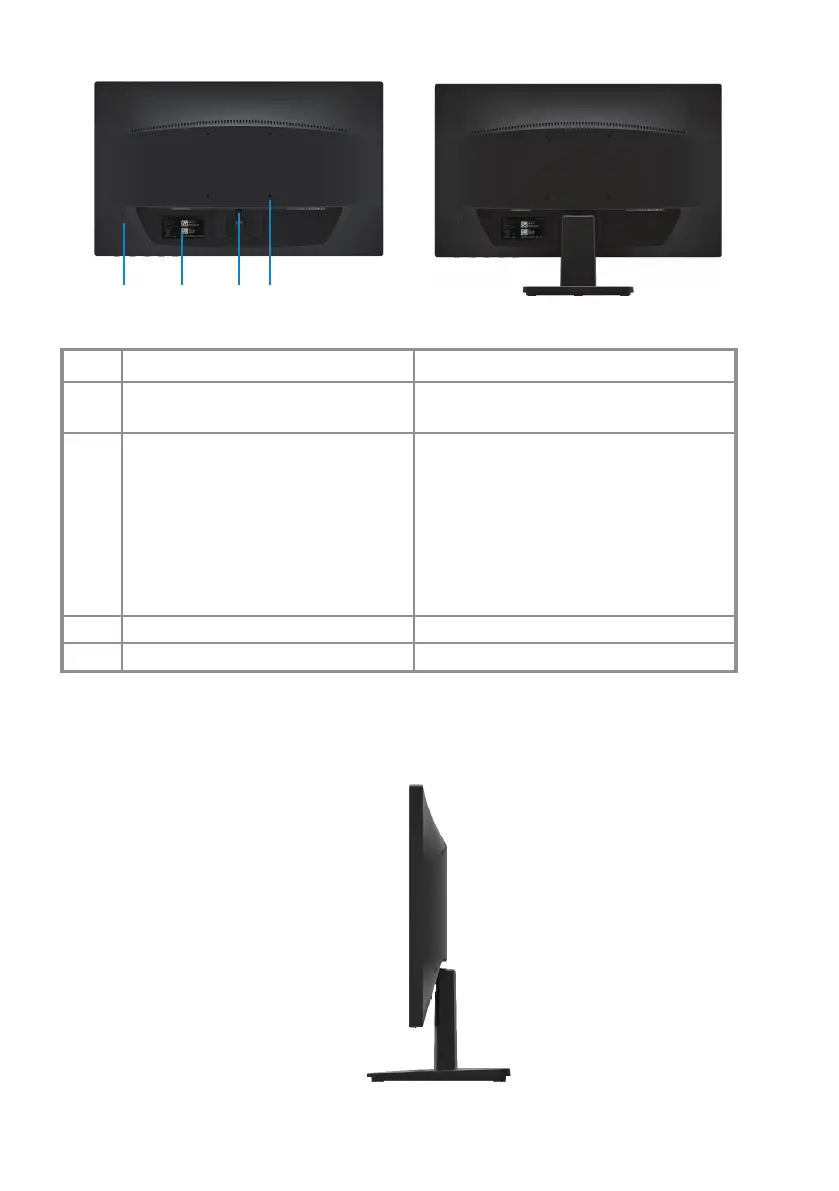
Back view
Label Description Use
1
2
Security-lock slot
To secure the monitor using a
lock (purchased separately).
3 Release button Release stand from monitor.
4 VESA mouting holes For exible mounting solutions.
Regulatory label, barcode, serial
number, and Service Tag label
List the regulatory approvals. See this
label if you need to contact Dell for
technical support. The Service Tag is a
unique alphanumeric identier that
enables Dell service technicians to
identify the hardware components in
your computer and access warranty
information.
Side view
21 3 4
With monitor stand
Without monitor stand
|











 To Next Page