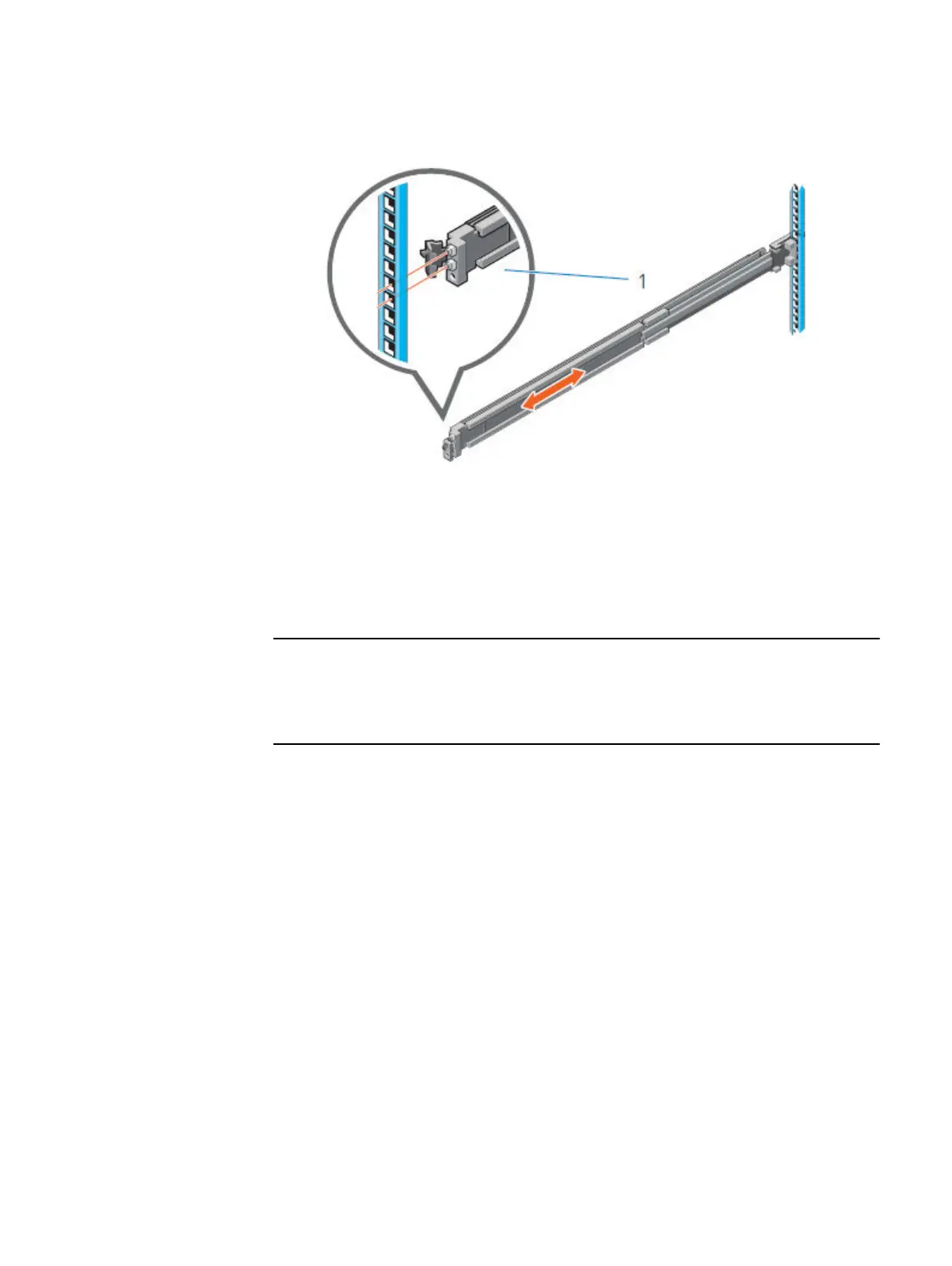
Figure 2 Installing the front end of the rail
6. Repeat the preceding steps to install the right rail assembly.
Secure the rails to the cabinet
The supplied screws and washers are used to secure the rail assemblies to the front
and rear of the cabinet.
For square hole cabinets, install the supplied conical washer before installing the
screw. For unthreaded round hole cabinets, install only the screw without the conical
washer.
Procedure
1. Align the screws with the designated U spaces on the front and rear rack
flanges.
Ensure that the screw holes on the tab of the system retention bracket are
seated on the designated U spaces.
2. Insert and tighten the two screws using the Phillips #2 screwdriver.
Secure the rails to the cabinet
7









 To Next Page