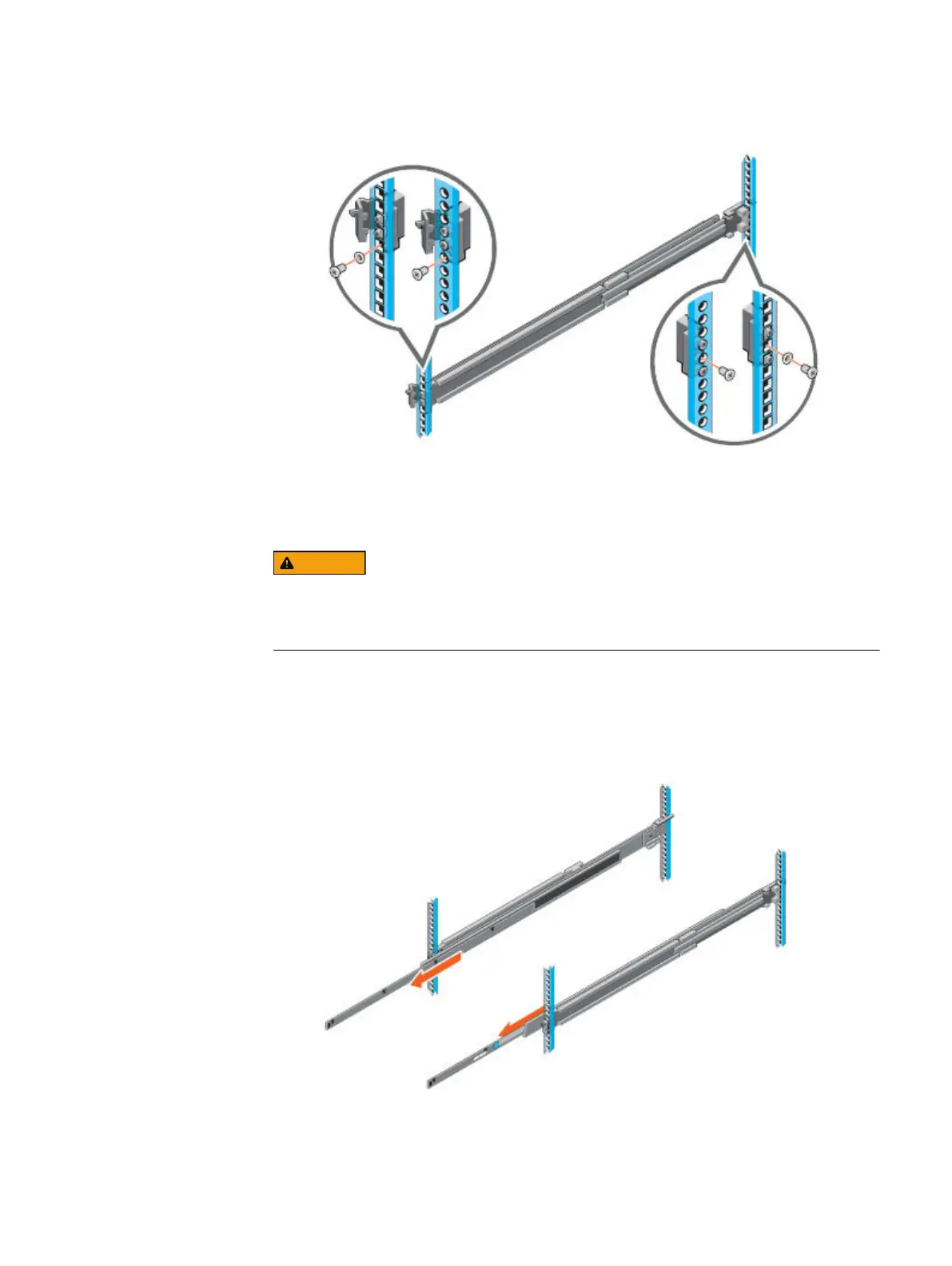
Figure 3 Installing screws
Install the system in the cabinet
The system is heavy and should be installed in a cabinet by two people. To avoid
personal injury and/or damage to the equipment, do not attempt to install the
system in a cabinet without a mechanical lift and/or help from another person.
Procedure
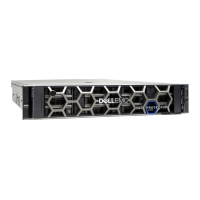
1. At front of the cabinet, pull the inner slide rails out of the cabinet until they lock
into place.
Figure 4
Pull the inner rails out of the cabinet
2. Locate the rear rail standoff on each side of the system. Position the system
above the rails and lower the rear rail standoffs into the rear J-slots on the slide
assemblies.
Hardware Installation Guide
8 Integrated Data Protection Appliance DP4400 2.4 Hardware Installation Guide









 To Next Page