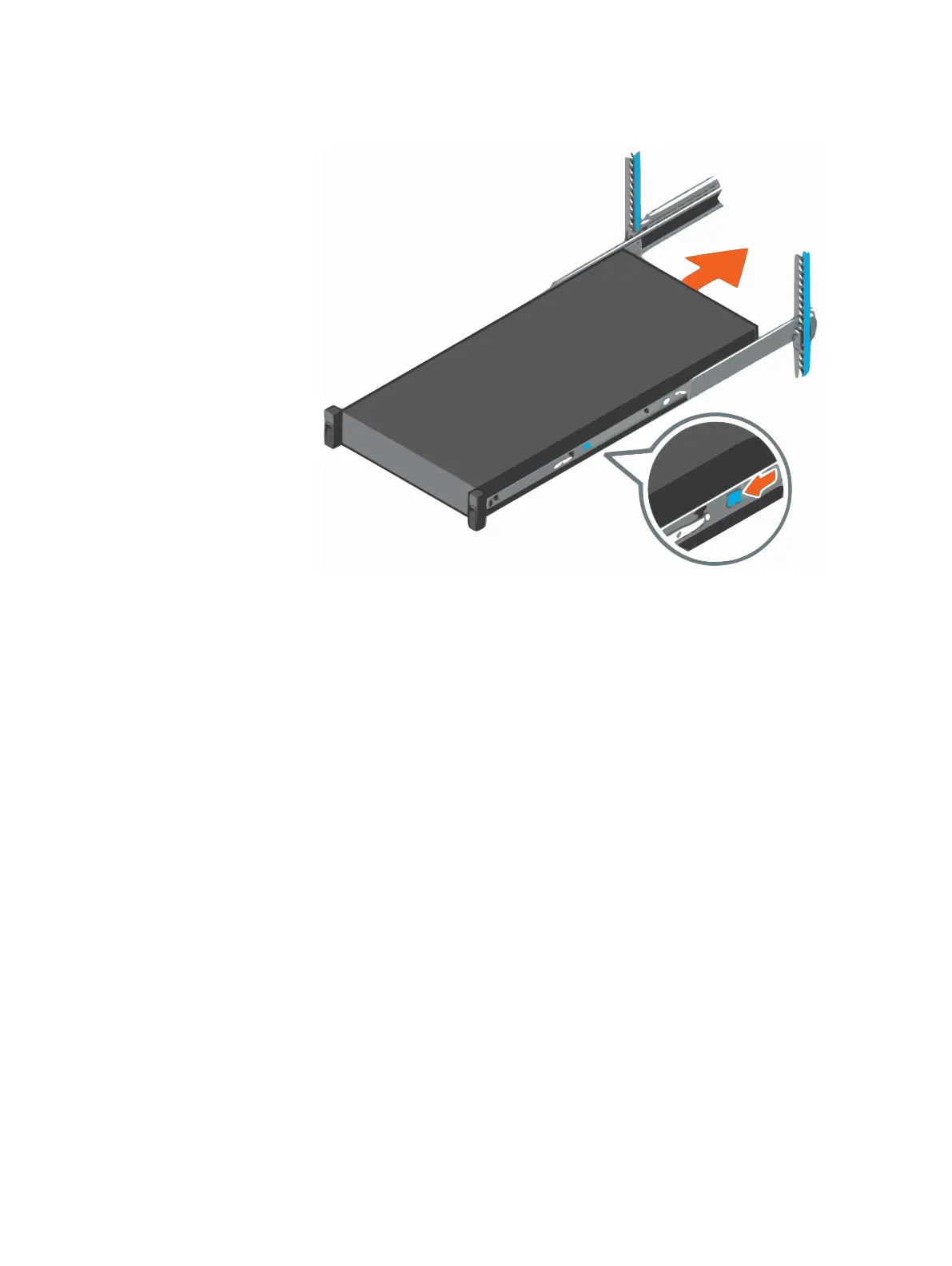
Figure 6 Slide the system into the cabinet
Install the bezel
Procedure
1. Align and insert the right end of the bezel onto the system.
2. Press the release button and fit the left end of the bezel onto the system.
3. Lock the bezel by using the key.
Hardware Installation Guide
10 Integrated Data Protection Appliance DP4400 2.4 Hardware Installation Guide









 To Next Page