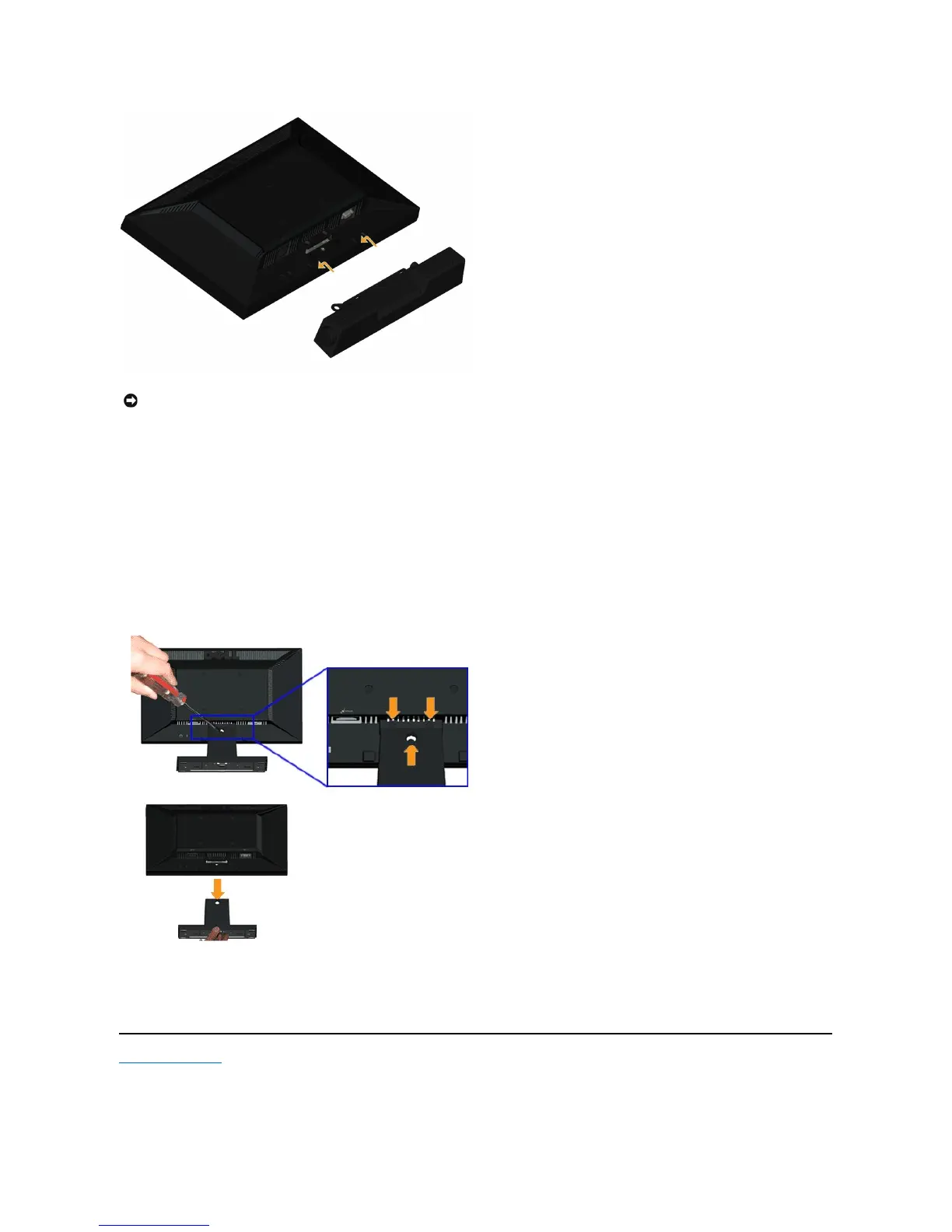
To attach the soundbar:
Removing the Stand for VESA Wall Mount
Back to Contents Page
NOTICE: DonotusewithanydeviceotherthantheDellSoundbar.
Working from the back of the monitor, attach Soundbar by aligning the two slots with the two tabs along the bottom of the monitor.
Slide the Soundbar to the left until it snaps into place.
Connect the Soundbar with the DC power connector from the Soundbar Power Adaptor.
Insert the mini stereo plug from the back of the Soundbar into the computer's audio output jack.
To remove the stand assembly from the monitor:
Place the monitor panel on soft cloth or cushion on a stable flat table.
Remove the three screws on the stand of the monitor as shown above.
Remove the stand assembly from the monitor.



 To Next Page