24 Setting Up the Monitor
Organizing Your Cables
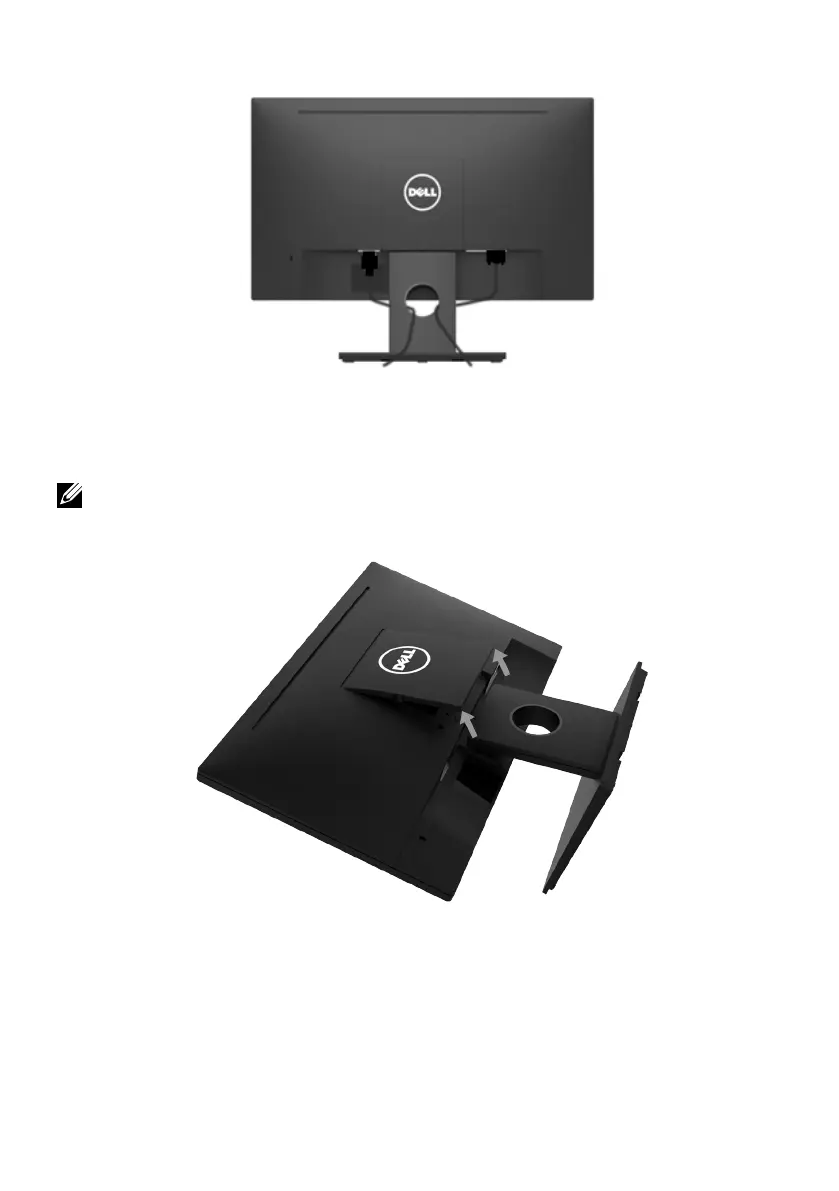
After attaching all necessary cables to your monitor and computer, (See Connecting
Your Monitor for cable attachment), organize all cables as shown above.
Removing the Monitor Stand
NOTE: This is applicable for a monitor with a stand. When any other stand is bought,
please refer to the respective stand setup guide for the removal instructions.
1. Remove the VESA Cover.
a. Place the monitor panel on a soft cloth or cushion.
b. Lift from both side simultaneously, remove the VESA Cover away from the
monitor.



 To Next Page