About your monitor │ 11
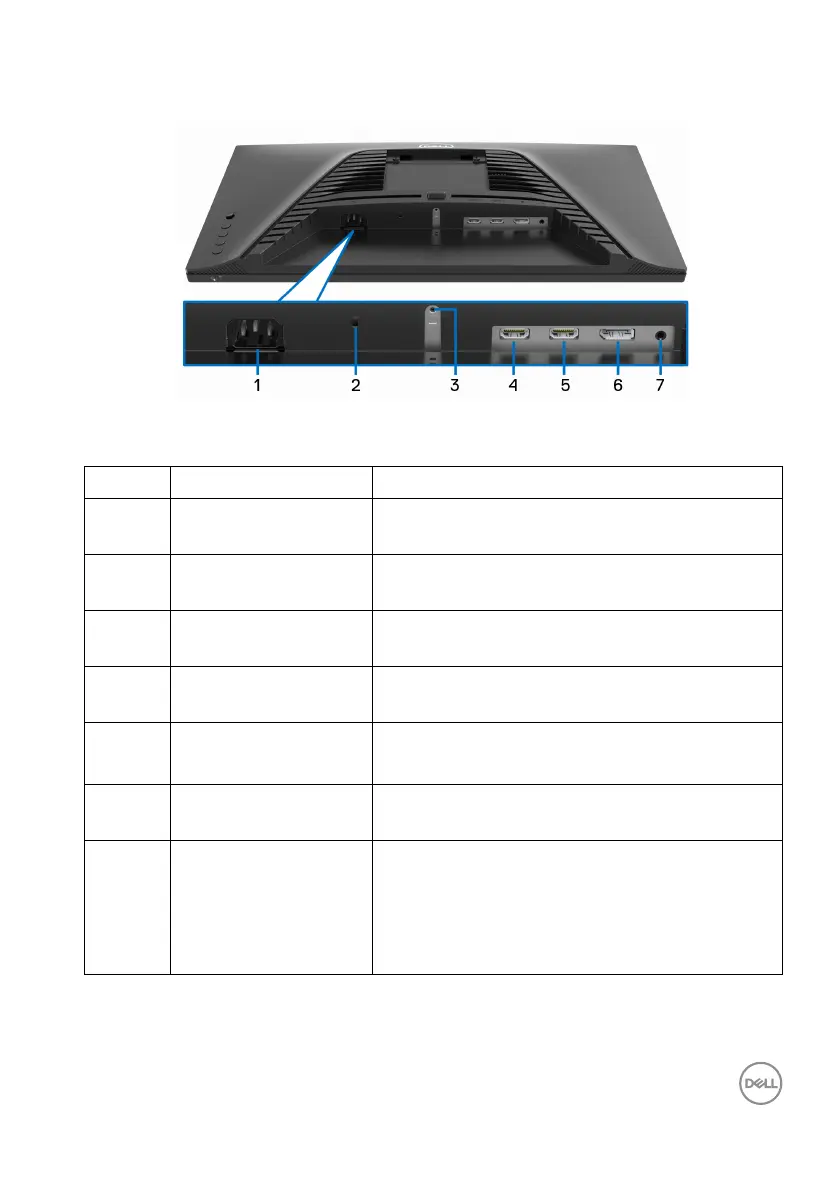
Bottom view
Bottom view without monitor stand
Label Description Use
1 Power connector Connect the power cable (shipped with your
mo
nitor).
2 Security-lock slot Secure the monitor with a security lock
(
security lock not included).
3 Stand-lock feature Lock the stand to the monitor using a M3 x 6
m
m screw (screw not included).
4 HDMI port (HDMI 1) Connect to your computer with the HDMI
cab
le (shipped with your monitor).
5 HDMI port (HDMI 2) Connect to your computer with the HDMI
cab
le (shipped with your monitor).
6 DisplayPort Connect to your computer with the
Dis
playPort cable (shipped with your monitor).
7 Headphone port Connect the headphones to the monitor.
WARNING: The possible long-term effect
o
f listening to audio at high volume
through the headphones may cause
damage to your hearing ability.



 To Next Page