54 │ Operating your monitor
4.
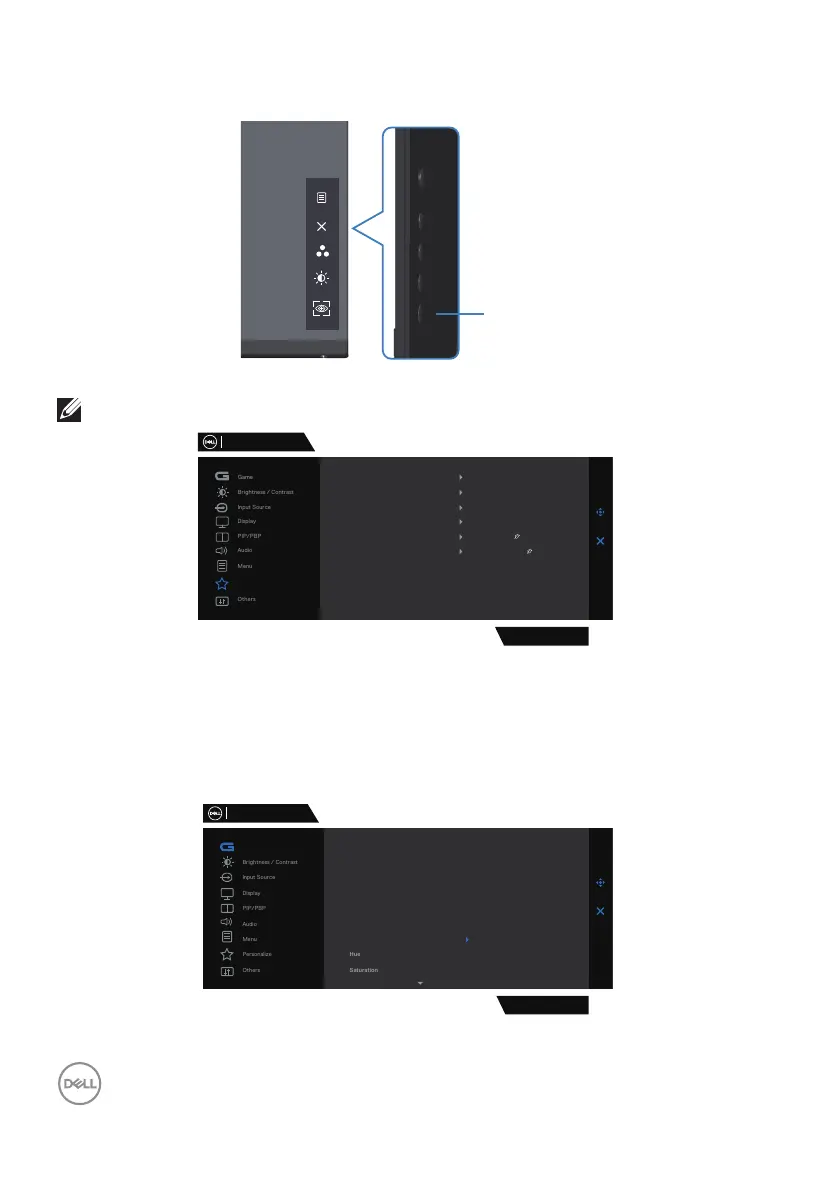
Use the Shortcut Key of Vision Engine to toggle different vision engines.
Vision Engine
NOTE: Adjust the preset Shortcut keys in Personalize settings.
Dell 32 Gaming Monitor
Personalize
G3223D
Shortcut Key 1
Shortcut Key 2
Shortcut Key 3
Power Button LED
USB-C Charging
Preset Modes
Brightness/Contrast
Vision Engine
On in On Mode
Other USB Charging
Reset Personalization
O in O Mode
O in Standby Mode
Use the Dell Display Manager and Shortcut key to launch Vision Engine:
1.
Press the Joystick button to launch the OSD Main Menu.
2.
Move the Joystick button to select Game > Vision Engine to initiate it.
3.
Select On to enable the functions in Vision Engine mode.
Dell 32 Gaming Monitor
G3223D
Game
Preset Modes
Game Enhance Mode
AMD FreeSyne Premium Pro
Response Time
Dark Stabilizer
Console Mode
On
off
Vision Engine



 To Next Page