Operating your monitor │ 55
4.
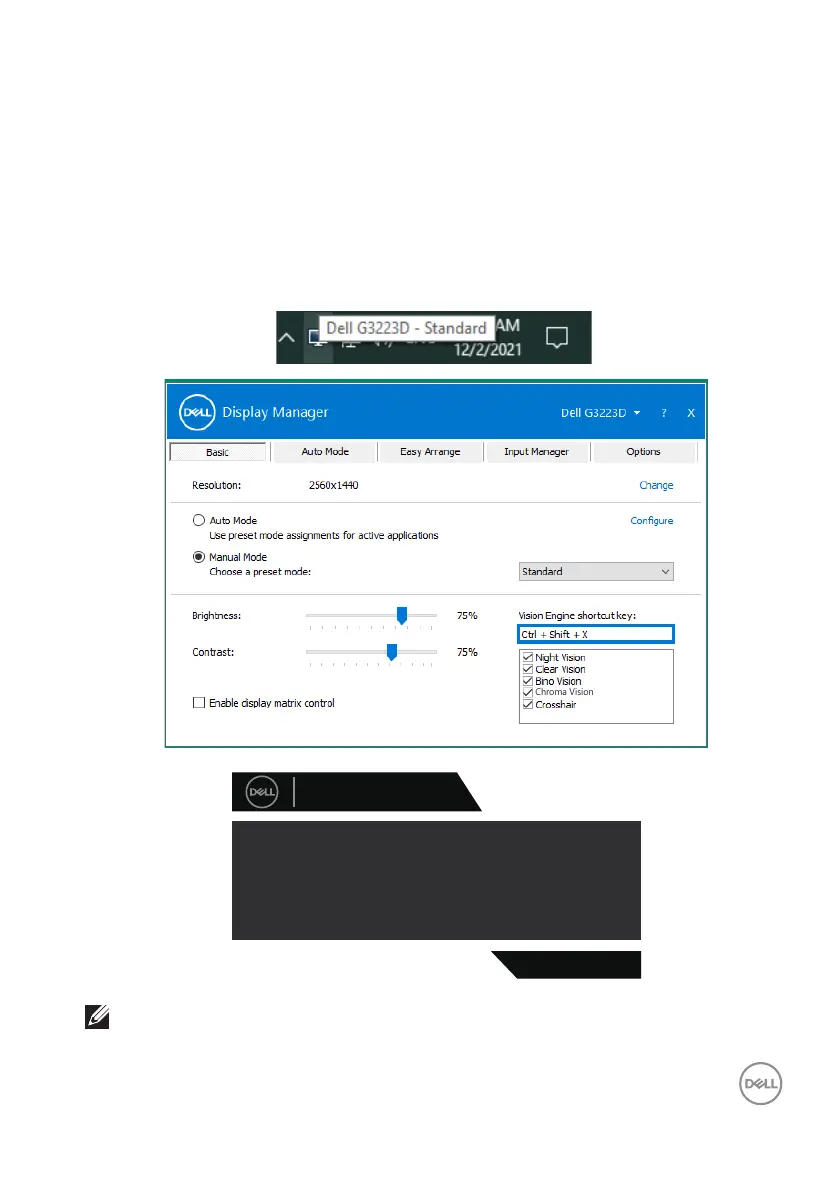
Alternatively, Vision Engine settings can be set in Dell Display Manager (Dell
Display Manager installed for better gaming experiences). For more
information, see Dell Display Manager installation section on https://www.
dell.com/G3223D.
The Vision Engine Shortcut Key enables you to configure and use a key combination
on the keyboard to toggle through the Vision Engines.
Each Vision Engine can be selected by selecting or clearing the check boxes. The
OSD is synchronized to these settings.
Dell 32 Gaming Monitor
G3223D
Vision Engine has been turned o.
go to OSD menu: Game > Vision Engine.
To turn it on.
NOTE: Shortcut Key can be used only after Vision Engine is turned to
“On”.



 To Next Page