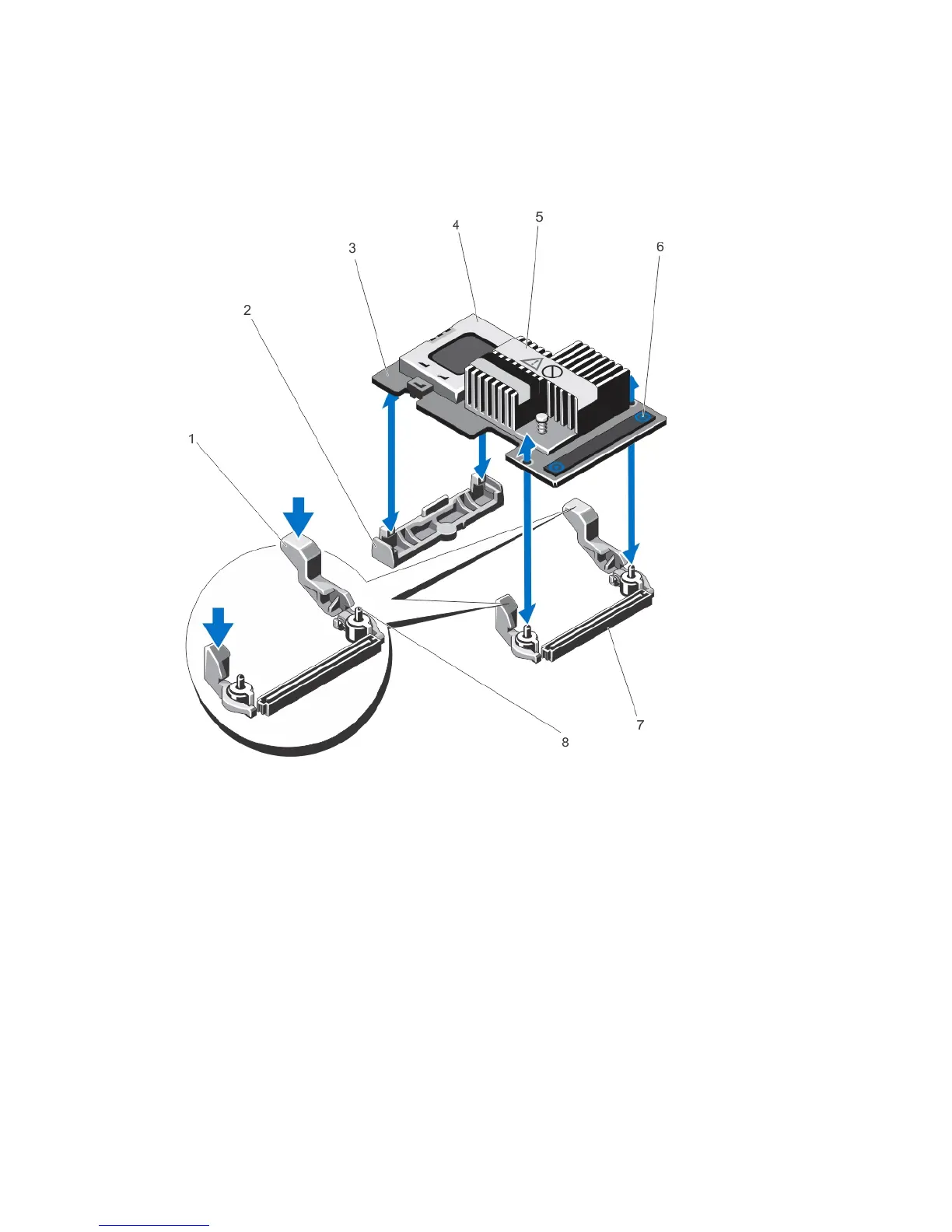
1. release lever (2)
2. PERC stack-up connector
3. PERC mini blade controller
4. screws (2)
Figure 3. Removing and Installing the PERC Mini Monolithic Controller
1. release lever (2)
2. storage-controller card holder
3. storage controller card
4. battery
5. heatsink
6. touch points (2)
7. storage-controller card connector on the
system board
8. guide pins (2)
Installing The PERC Controller
To install the PERC controller:
1. Perform a controlled shutdown of the system and attached peripherals.
2. Disconnect the system from the electrical outlet and remove the system cover.
27



 To Next Page