10 │ Setting Up Your Wireless Keyboard and Mouse
Setting Up Your Wireless Keyboard and
Mouse
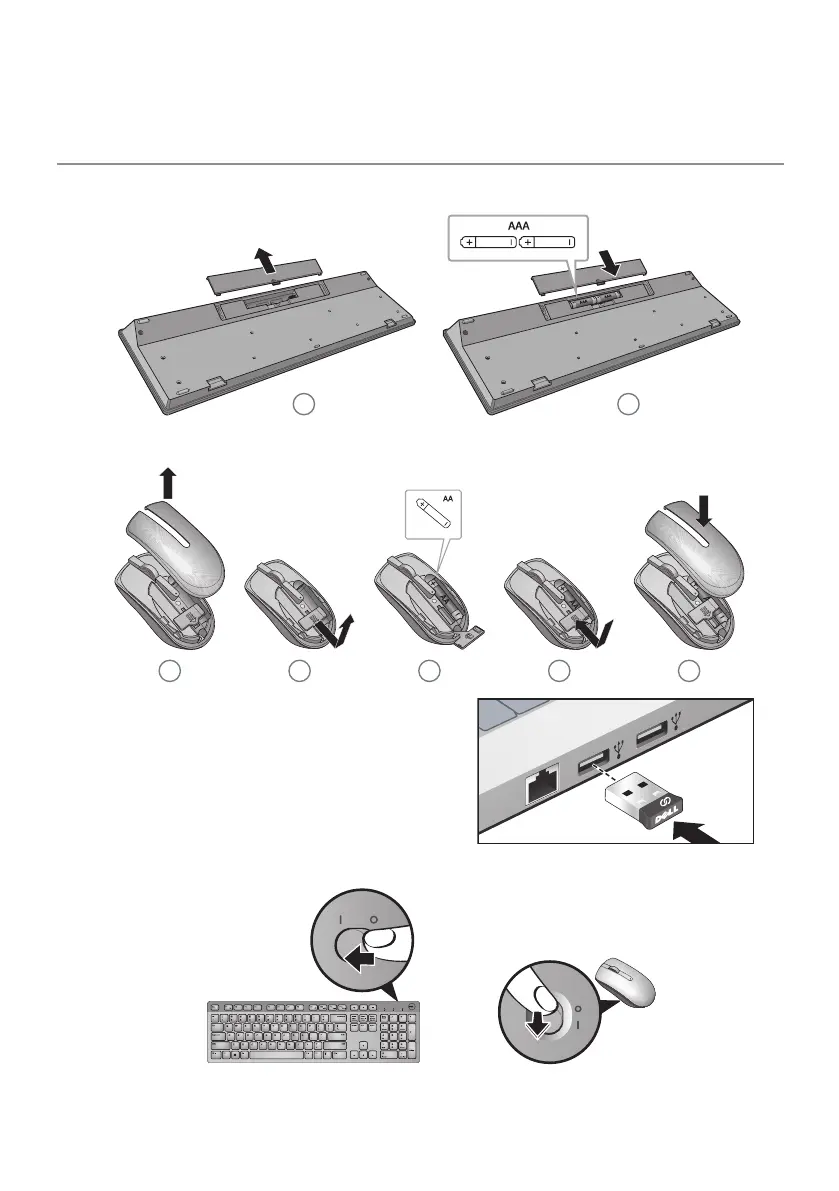
1. Install the two AAA batteries in your keyboard.
2. Install the AA battery in your mouse.
3. Connect the USB receiver to the
computer.
4. Turn on your keyboard and mouse.
If your keyboard or mouse is not working, see the Troubleshooting section.



 To Next Page