EasyManua.ls Logo

Dell Latitude 5531 - User Manual

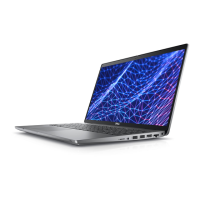
Dell Latitude 5531
144 pages
Print Icon
To Next Page IconTo Next Page
Loading...
Latitude 5531
Service Manual
Regulatory Model: P104F
Regulatory Type: P104F007/P104F008
June 2023
Rev. A02

Table of Contents

Other manuals for Dell Latitude 5531

Questions and Answers

  • Q
    qmorrowAug 15, 2025
    How to fix invalid BIOS Recovery image on Dell Laptop?
    • R
      Rebecca HuberAug 15, 2025
      To fix an invalid BIOS recovery image on your Dell laptop, try flashing the latest BIOS version. If the issue persists, replace the system board.
  • A
    Albert JonesAug 18, 2025
    What to do if Dell Laptop battery is swollen?
    • A
      Alexander AdamsAug 18, 2025
      If you notice that the rechargeable Li-ion battery in your Dell laptop is swollen, immediately stop using the laptop. Disconnect the AC adapter and allow the battery to fully discharge. It is important to replace the swollen battery and dispose of it properly. You can also contact Dell product support for options to replace it.
  • K
    Kimberly PowellAug 21, 2025
    How to fix a Dell Latitude 5531 when no memory/RAM is detected?
    • T
      Tricia MarshallAug 21, 2025
      If your Dell laptop is not detecting memory/RAM, ensure that the memory module is correctly installed. If the problem persists, try replacing the memory module.
  • P
    pbowenAug 25, 2025
    What to do if Dell Laptop has Memory/RAM failure?
    • J
      Jacqueline GreenAug 26, 2025
      If your Dell Laptop experiences a memory/RAM failure, try resetting and swapping the memory modules among the slots. If that doesn't work, replace the memory module.
  • M
    Monique JohnsonAug 28, 2025
    What to do if Dell Laptop says 'Invalid memory installed'?
    • A
      Alejandro LongAug 28, 2025
      If your Dell laptop indicates that invalid memory is installed, attempt to reset and swap the memory modules among the slots. If the issue continues, replace the memory module.
  • C
    crawfordandrewAug 31, 2025
    How to fix System board failure on Dell Laptop?
    • J
      josehudsonAug 31, 2025
      To fix a system board failure on your Dell laptop, which includes BIOS corruption or ROM errors, try flashing the latest BIOS version. If this does not resolve the issue, replace the system board.
  • M
    Michael HillSep 4, 2025
    How to resolve RTC reset failure on Dell Latitude 5531 Laptop?
    • M
      melissanorrisSep 4, 2025
      To resolve an RTC reset failure on your Dell laptop, disconnect all power sources, including the AC adapter, battery, and coin cell. Then, drain any remaining power by pressing and holding the power button for 3 to 5 seconds. If the problem persists, replace the system board.
  • L
    Lisa GentrySep 7, 2025
    What to do if Dell Laptop LCD Power rail test fails?
    • M
      Manuel BryantSep 7, 2025
      If the LCD power rail test fails on your Dell laptop, check the battery status LED. If it flashes an error code [2,7], ensure the display cable is properly connected. If the battery status LED flashes an error code [2,8], replace the system board.
  • C
    Carla Arellano MDSep 12, 2025
    How to fix Power rail failure on Dell Latitude 5531 Laptop?
    • A
      Andrew BryantSep 12, 2025
      To fix a power rail failure on your Dell laptop, replace the system board.

Summary

Working Inside Your Computer Safety

Safety Instructions

Guidelines to protect your computer from potential damage and ensure personal safety.

Safety Precautions

Primary steps before performing disassembly or break/fix procedures.

ESD Protection

Information on preventing damage from static electricity to components.

After Working Inside Your Computer

Steps to follow after completing work inside the computer.

Removing and Installing Components

BIOS Setup and Configuration

Updating the BIOS

Instructions for updating the BIOS in Windows, Linux, and via USB.

Troubleshooting Computer Issues

Handling Swollen Li-ion Batteries

Precautions and guidelines for handling swollen Li-ion batteries.

Recovering the Operating System

Information on using Dell SupportAssist OS Recovery for system recovery.

Dell Latitude 5531 Specifications

General IconGeneral
RAMUp to 64GB DDR4
StorageUp to 2TB PCIe NVMe SSD
Operating SystemWindows 10 Pro / Windows 11 Pro
WirelessWi-Fi 6E, Bluetooth 5.2
Processor12th Gen Intel Core i5/i7
Display15.6-inch FHD (1920 x 1080)
GraphicsIntel UHD Graphics or NVIDIA GeForce MX550
Battery3-cell 41Whr or 4-cell 63Whr
Ports2x USB 3.2 Gen 1, 2x Thunderbolt 4, HDMI 2.0, RJ-45, microSD card reader, headphone/microphone combo jack
WeightStarting at 1.79 kg (3.95 lbs)

Related product manuals