Quick Setup
WARNING: Before you begin any of the procedures in this section, read the safety
information that shipped with your computer. For additional best practices information,
see www.dell.com/regulatory_compliance.
WARNING: The AC adapter works with electrical outlets worldwide. However,
power connectors and power strips vary among countries. Using an incompatible cable or
improperly connecting the cable to the power strip or electrical outlet may cause fire or
equipment damage.
CAUTION: When you disconnect the AC adapter cable from the computer, grasp the connector,
not the cable itself, and pull firmly but gently to avoid damaging the cable. When you wrap the
AC adapter cable, ensure that you follow the angle of the connector on the AC adapter to avoid
damaging the cable.
NOTE: Some devices may not be included if you did not order them.
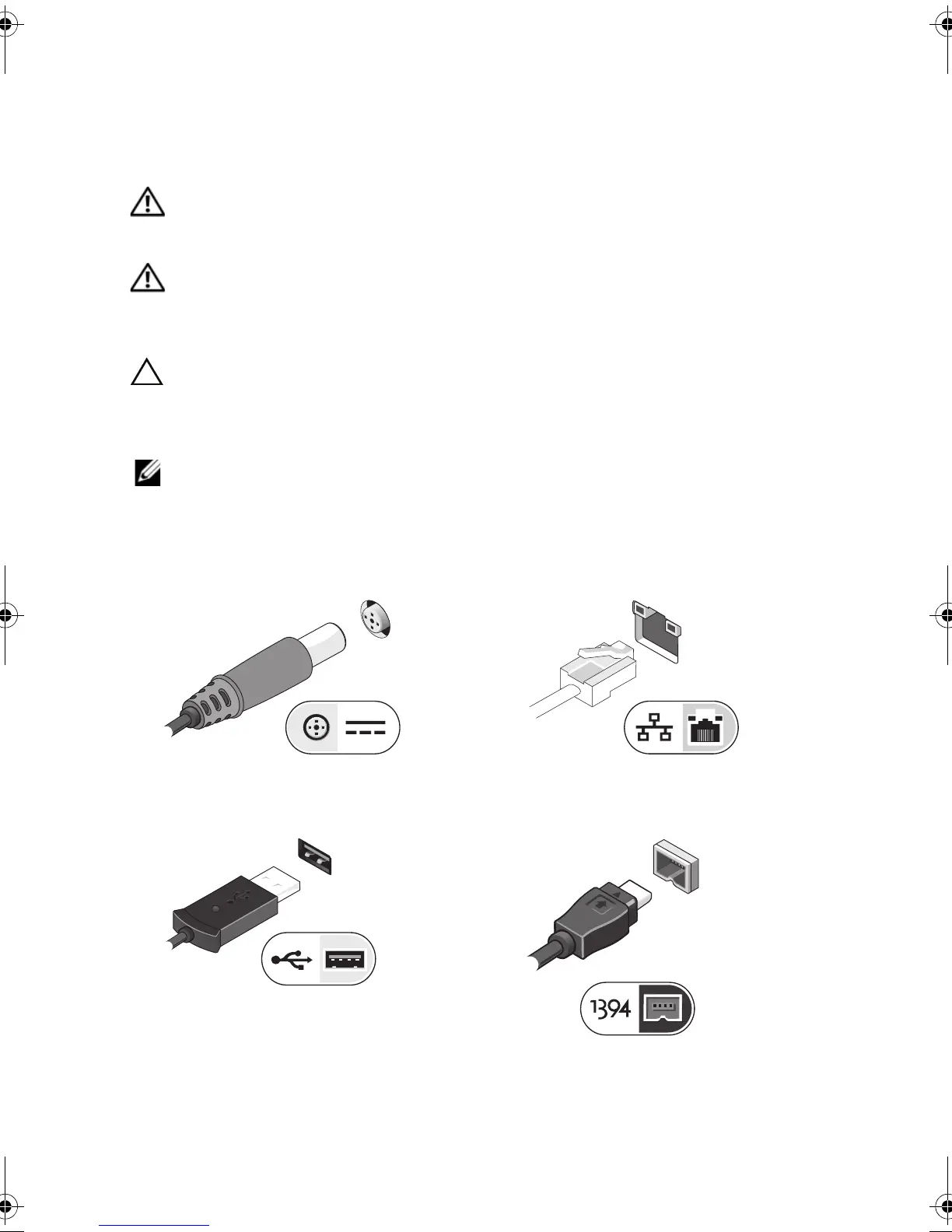
1
Connect the AC adapter to the AC adapter
connector on the computer and to the
electrical outlet.
2
Connect the network cable (optional).
3
Connect USB devices, such as a mouse or
keyboard (optional).
4
Connect IEEE 1394 devices, such as a
DVD player (optional).
16PXGam0.fm Page 3 Tuesday, October 13, 2009 2:48 PM

















 To Next Page