12
Latitude E6500, E6400 Mainstream Reviewer’s Guide
*See important information at end of document
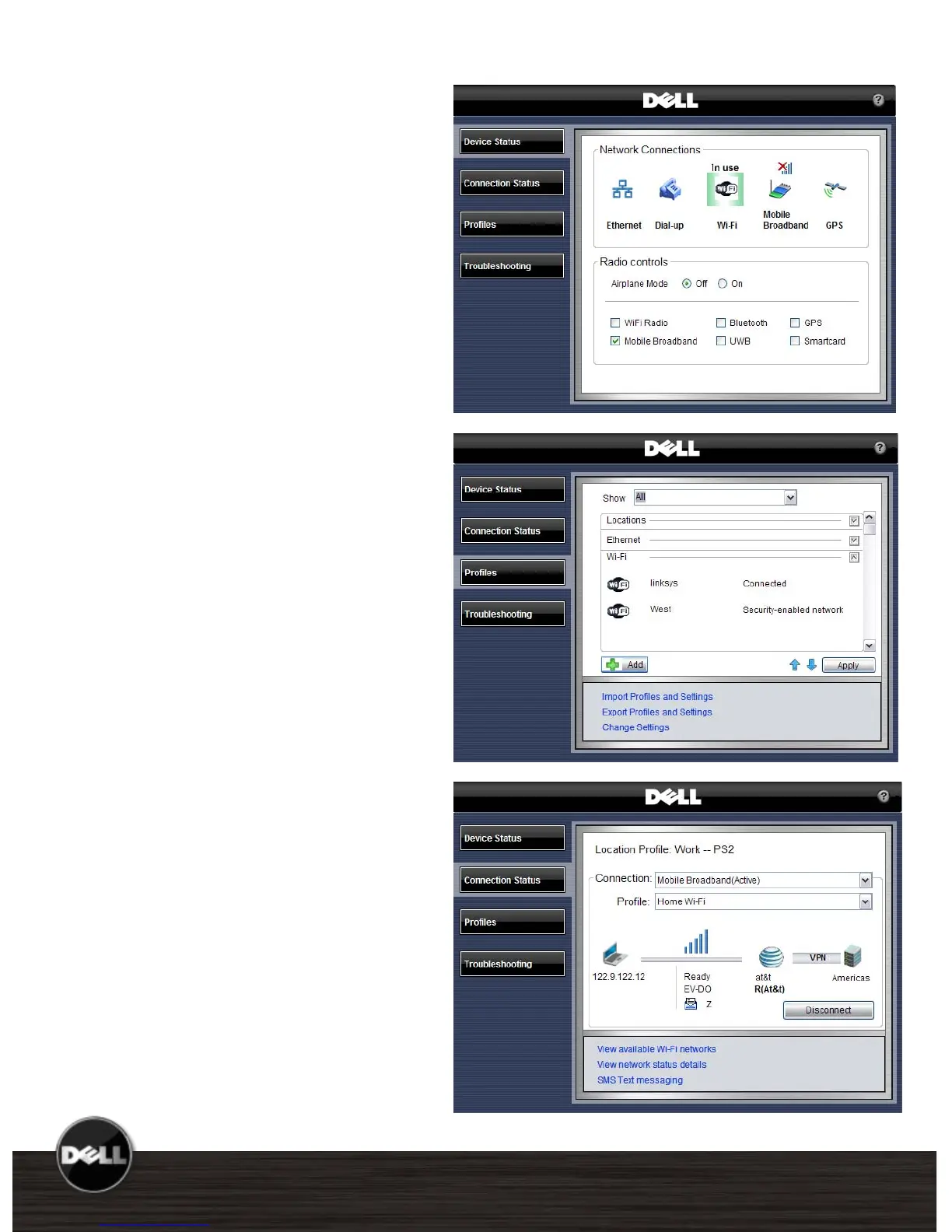
Dell ControlPoint
Connections Manager
For fast and easy connections to any
device or network, the Connections
Manager module provides a
comprehensive communications
management environment: Ethernet,
Dial-Up, Wi-Fi, Mobile Broadband* and
GPS.
Users can also enable & disable any of
the radios on their notebook – Wi-Fi,
Bluetooth, UWB, GPS and Mobile
Broadband*.
Location Profiles and
Administrative Controls
Create multiple mobile Profile Settings
such as printer, browser, VPN and
network, as well as mobility settings
for adapter and profile switching.
Define, export, and import usage
profiles. Customize printer setup,
application launch, drive mapping, and
more.
Administrative controls with the ability
to limit user configurable options.
Enhanced Diagnostics and
Administrative Tools
Simple and advanced configuration
and status dashboard
Enhanced multi-network
connection diagnostics and event
logging
Hardware diagnostics for all
devices
Error and Connection Status log
Profile import/export and locking















 To Next Page