13
Latitude E6500, E6400 Mainstream Reviewer’s Guide
*See important information at end of document
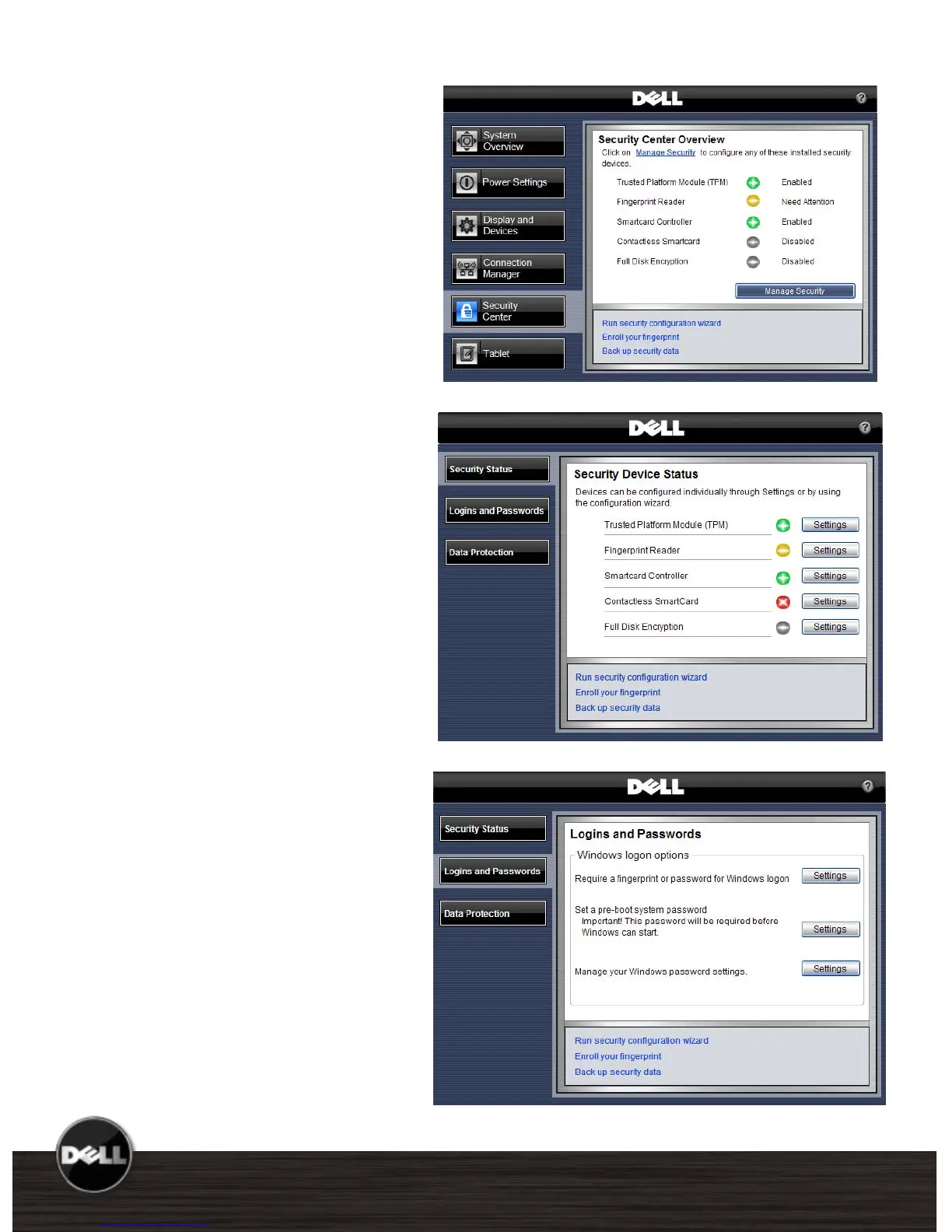
Dell ControlPoint
Security Center
As more critical data becomes
mobile the need for enhanced
security is vital. The Dell
ControlPoint Security Center
module provides access to use
authentication, encryption,
fingerprint readers and
smartcard technologies.
Security Status
Quickly view system security
status
Manage Logins and
Passwords
Require fingerprint for login
Set a pre-boot password
Manage Windows
®
password
settings
Manage Data Protection
Set hard drive password
Manage document vault
Manage encryption















 To Next Page