48
Latitude E6500, E6400 Reviewer’s Guide
*See important information at end of document
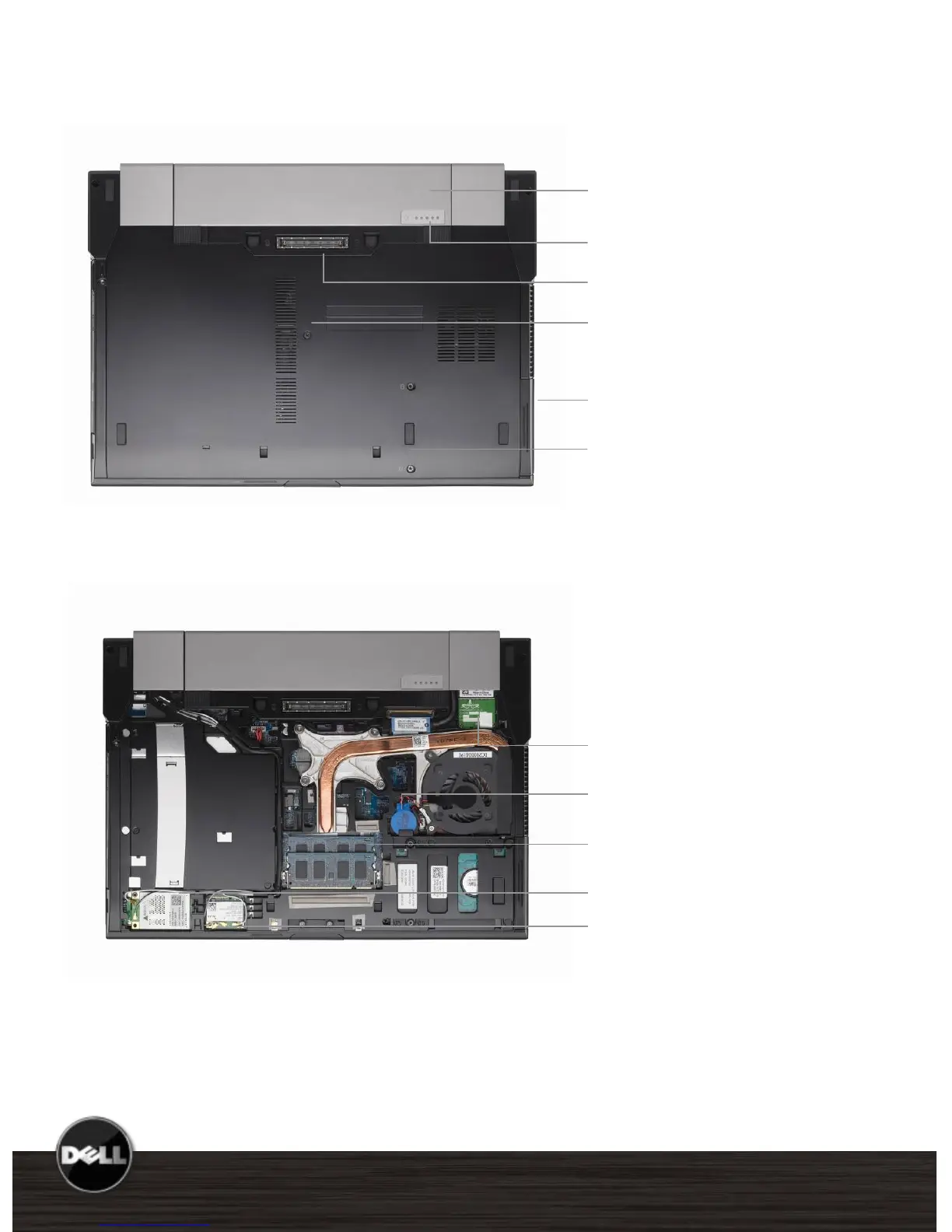
E6400 Bottom View
Primary Battery Bay
E-Family Docking Connector
Bottom access panel with one screw
access to memory DIMMs, wireless
modules
Battery Charge/Health Gauge
Strike Zone™ shock absorber
Primary Hard Drive Bay
Inverted motherboard helps improve
thermal design and accessibility for easier
service
Bluetooth/UWB module
Coin cell battery
Memory DIMMS
WWAN
WLAN















 To Next Page