20 Quick Reference Guide
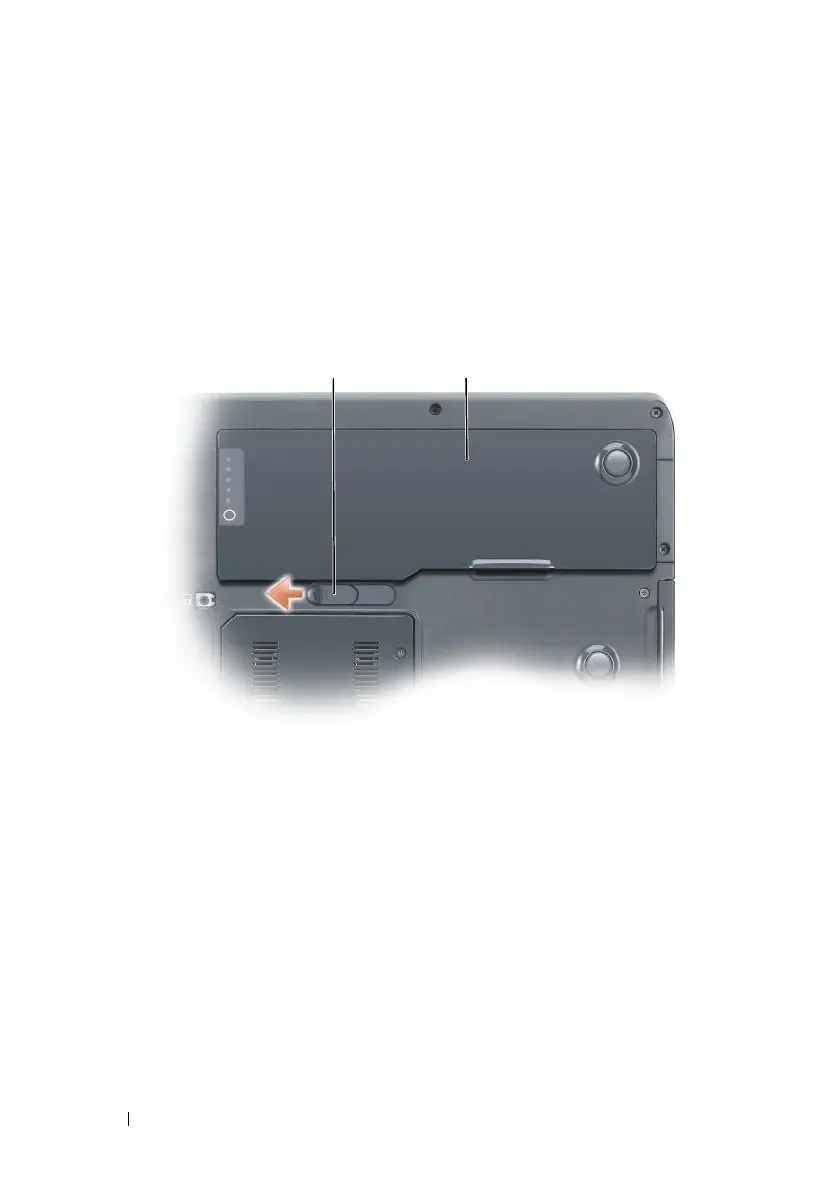
To remove the battery:
1
If the computer is connected to a docking device (docked), undock it. See
the documentation that came with your docking device for instructions.
2
Ensure that the computer is turned off or suspended in a power
management mode.
3
Slide the battery release latch on the bottom of the computer, and then
remove the battery from the bay.
Storing a Battery
Remove the battery when you store your computer for an extended period of
time. A battery discharges during prolonged storage. After a long storage
period, recharge the battery fully before you use it (see "Charging the Battery"
on page 19).
1 battery release latch 2 battery
1 2










 To Next Page