9
Part C: Upgrade Multimedia Firmware
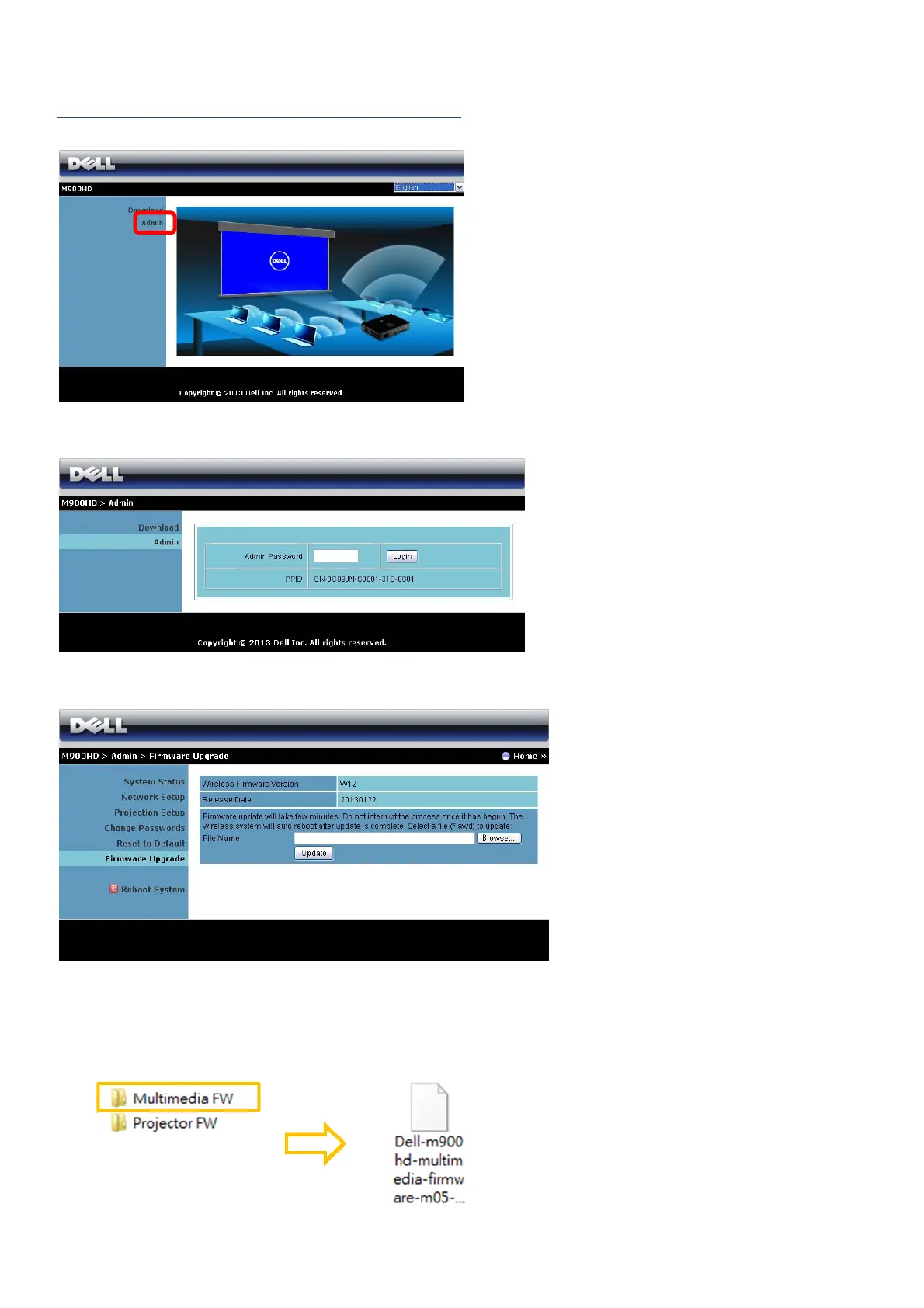
5. The M900HD web management page opens. Click the Admin.
6. Enter the administrator password (default password is admin), then click the Login.
7. Click the Firmware Upgrade.
8. Follow these steps to upgrade firmware:
Step A: Click the “Browse” to first find the firmware (*.nad) from downloaded Multimedia
FW folder.



 To Next Page