7
2. Multimedia Firmware Upgrade Setup
Part A: Project the Image
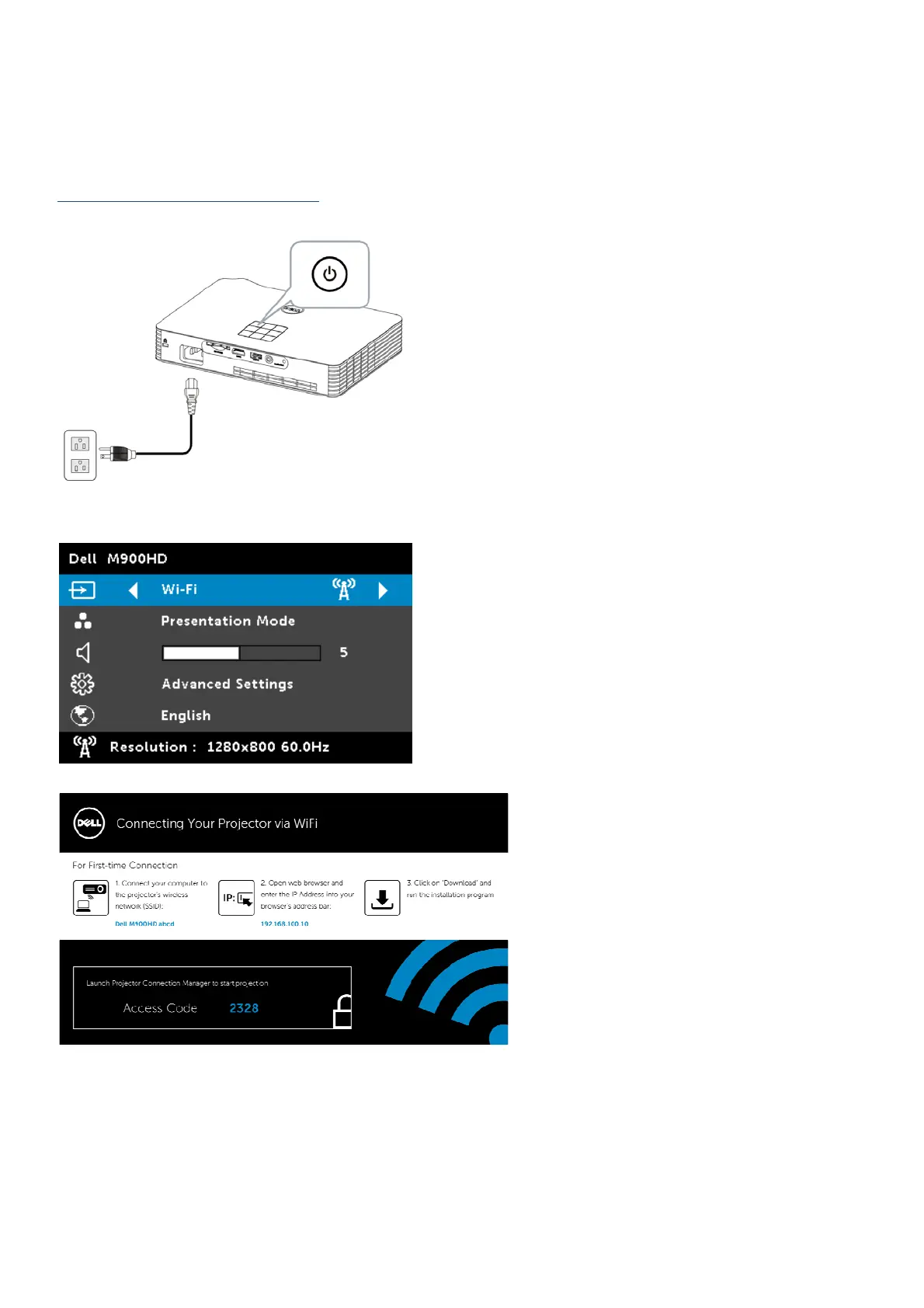
1. Connect the power cable and turn on the projector by pressing the power button.
2. Press Menu button, at Input Source option, will be source switch to Wi-Fi source.
The Wireless Guide Screen shown below appears:



 To Next Page