8
Part B: Connect Your Computer to the Projector and Login Web Management
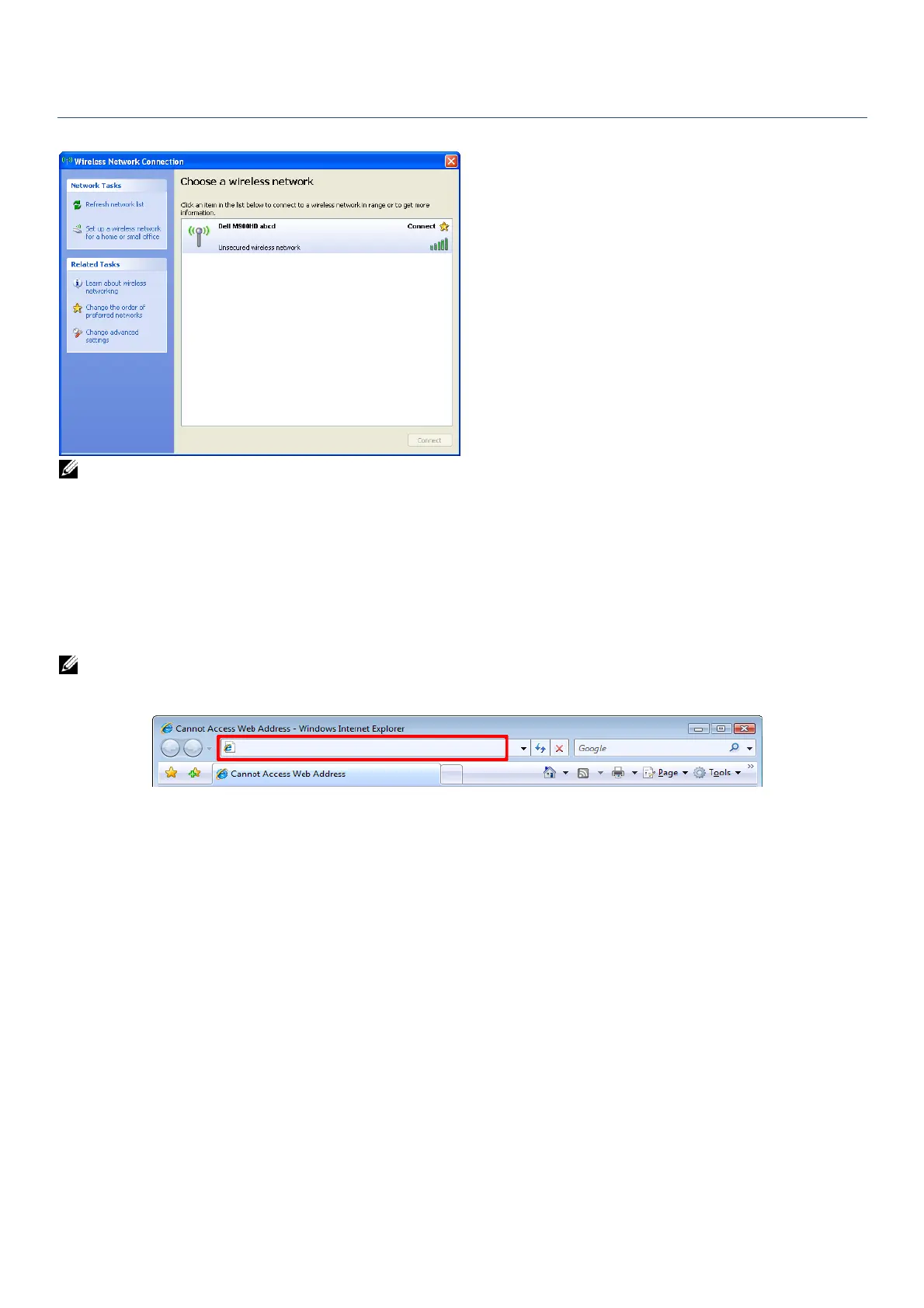
3. Connect your computer to the M900HD wireless network.
NOTE:
Your computer must have wireless network function to detect the connection.
When you connect to the M900HD wireless network, you will lose wireless connectivity
with other wireless network.
4. Open the Internet browser on your computer. You will be automatically directed to the
M900HD Web Management web page.
NOTE: If the web page does not load automatically, enter the IP address (default IP address
is 192.168.100.10) in the browser’s address bar.



 To Next Page