2
1. Projector Firmware Upgrade Setup
Part A: Install the Dell Flasher Tool on Your Computer
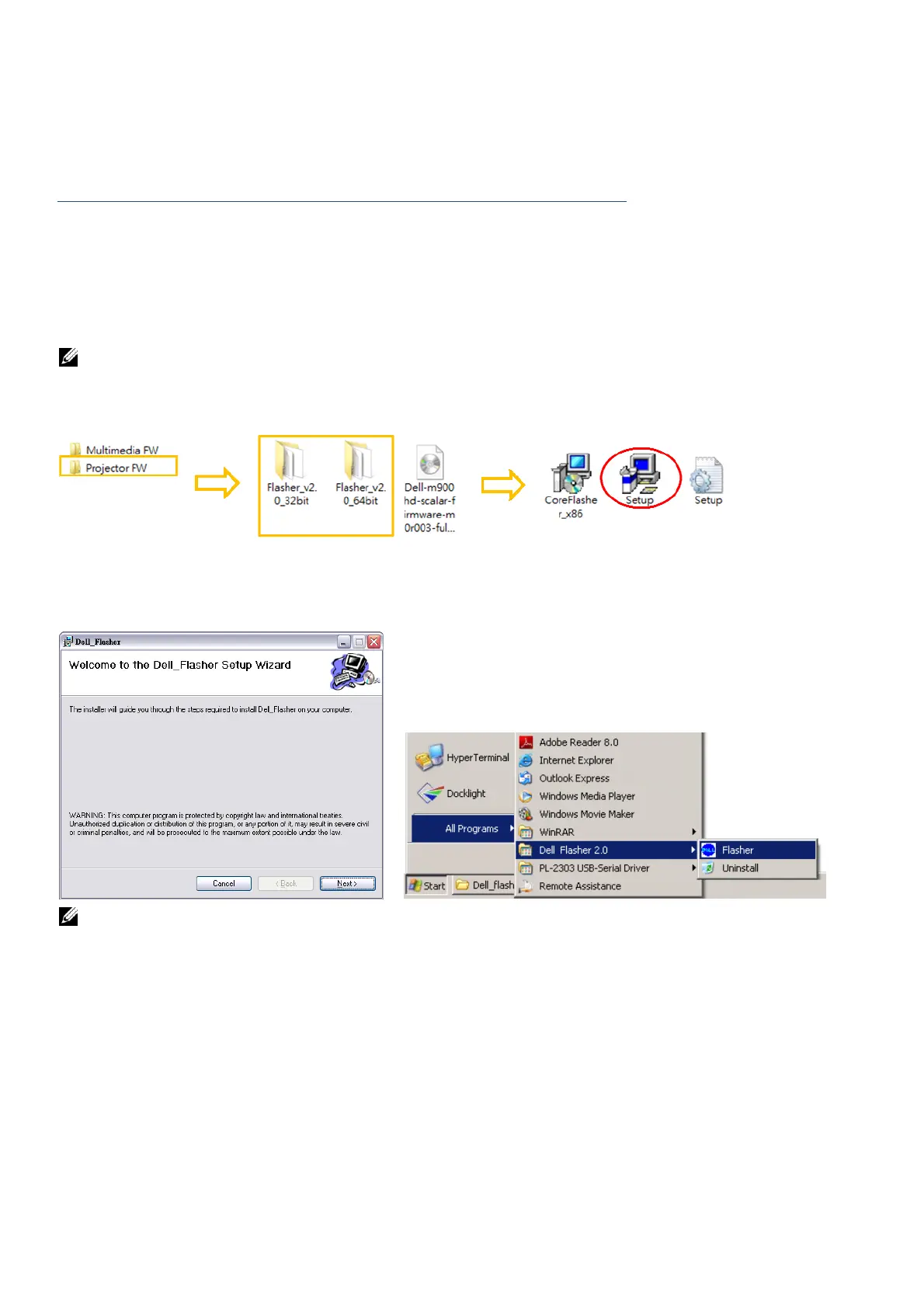
1. Please follow your computer operating system to select flasher version.
You may find the setup file in the Flasher 2.0_xx folder created after downloading and
unzipping or extracting the .zip file.
Win 8.1, Win 8, Win 7, Vista, and XP 32-bit OS: Please install Flasher 2.0_32 bit version
Win 8.1, Win 8, Win 7, Vista, and XP 64-bit OS: Please install Flasher 2.0_64 bit version
NOTE: Dell Flasher tool does not support Mac OS.
2. Double-click Setup.exe from downloaded Flasher_v2.0_32 or 64bit FW folder.
3. Follow the on-screen instructions to complete the setup and find the installed flasher on
Start menu.
NOTE: You only need to install the “Dell Flasher Tool” once.



 To Next Page