5
Part C: Launch the Dell Flasher Tool to Upgrade Projector Firmware
Please keep the projector in download mode as step 4.
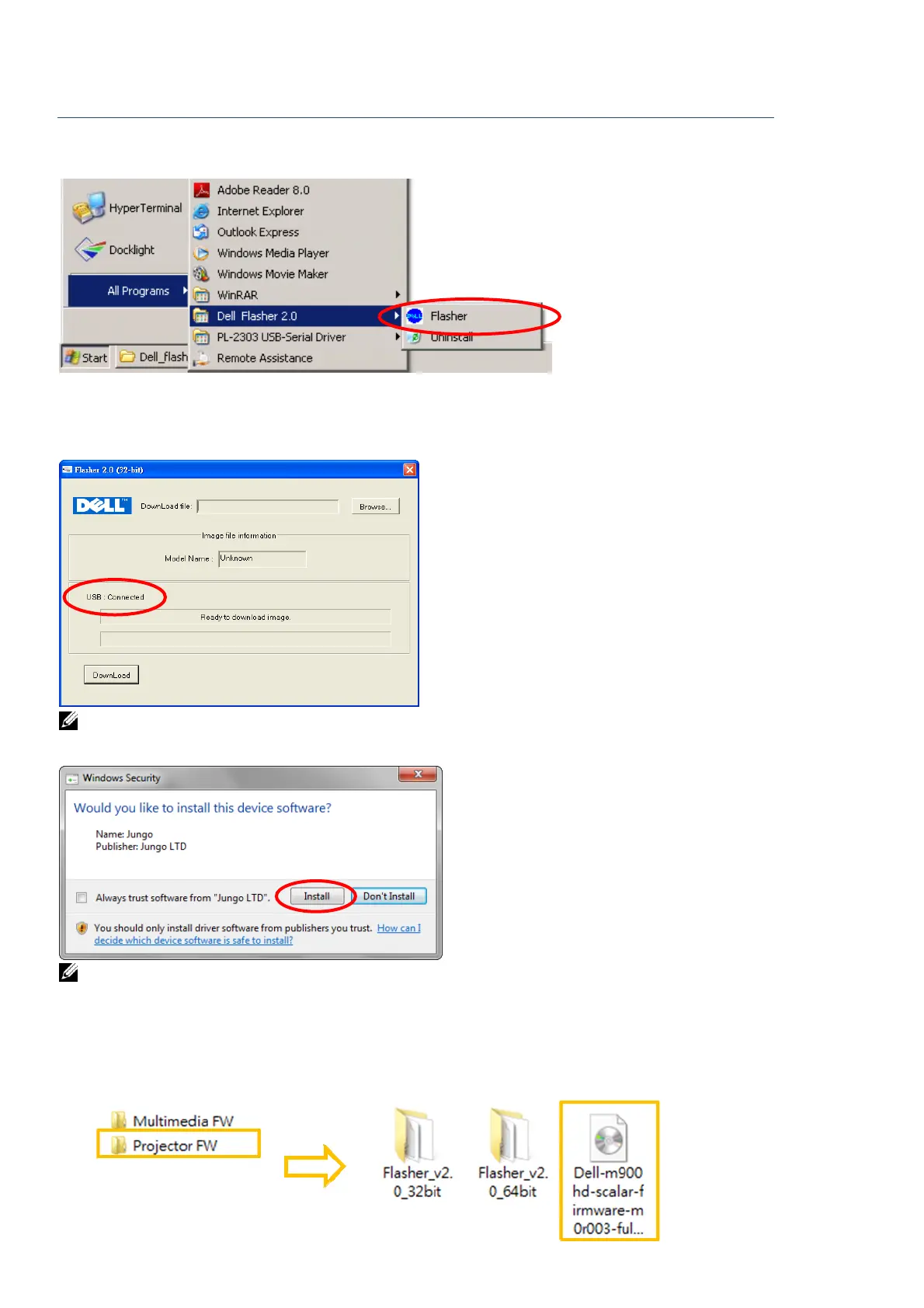
6. Execute the Dell Flasher: Start All Programs Dell Flasher 2.0 Flasher
7. Dell Flasher is executing and please check USB status is Connected before upgrade
firmware.
NOTE: If Window 7/8/8.1 32-bit or 64-bit OS pop-up this diagram, please click Install.
Windows XP does not pop-up this diagram.
NOTE: You only need to install the “Jungo driver” once.
8. Follow these steps to upgrade firmware:
Step A: Click the “Browse” to find the firmware (*.img) from downloaded Projector FW
folder.



 To Next Page