6
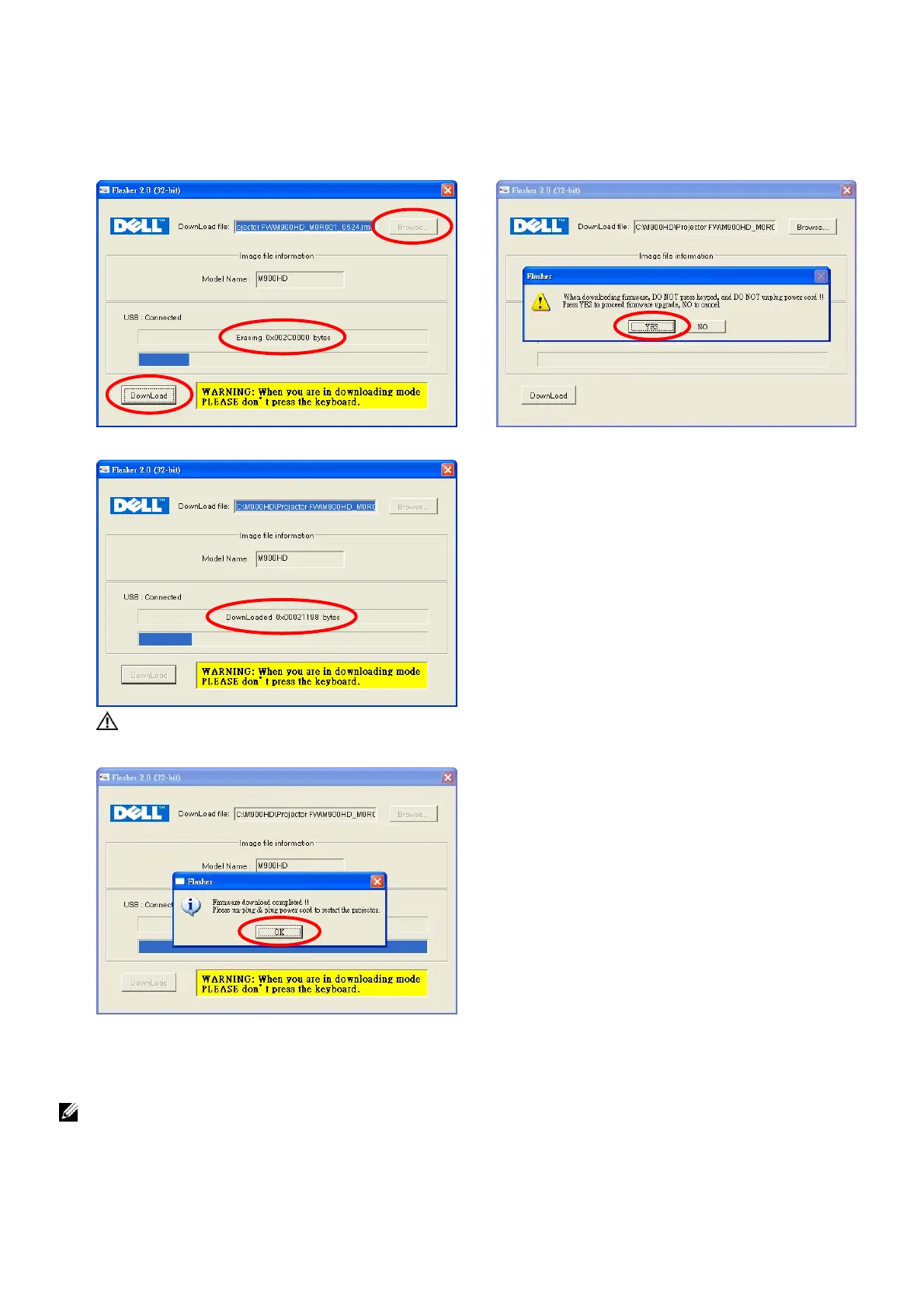
Step B: Click the “DownLoad” to pop-up the dialog.
Step C: Click the “YES” to start the upgrade projector firmware.
Step D: Start to Erasing projector.
Step E: Download and upgrade firmware
WARNING: When you are in downloading mode, PLEASE do not press the keyboard.
Step F: Firmware completed, press “OK” and plug out the USB cable from projector.
9. Unplug and re-plug in the power cord to turn on M900HD projector.
NOTE: If you have installed Dell Flasher Tool once, you may skip step 1~ 3, and only proceed
step 4~9 afterward to upgrade the projector firmware.
A
B
C
D



 To Next Page