5
Install the Dell Projector Connection Manager on Your Computer
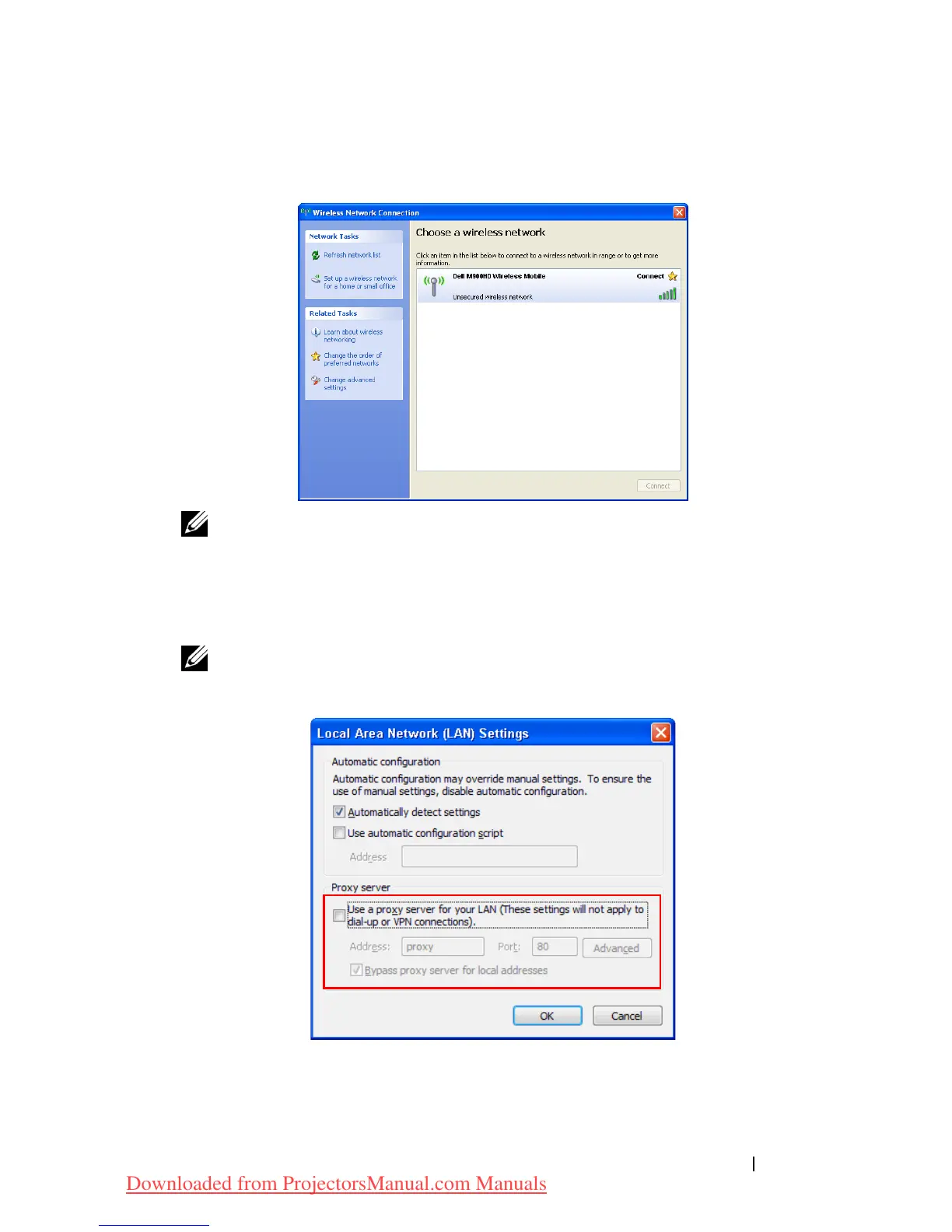
Connect your computer to the M900HD wireless network.
NOTE:
•
Your computer must have wireless network function to detect the
connection.
•
When you connect to the M900HD wireless network, you will lose
wireless connectivity with other wireless networks.
NOTE: Remember to turn off all proxies. (In Microsoft
®
Windows
Vista: Click Control Panel J Internet Options J Connections J LAN
Settings)
Open your Internet browser. You will be automatically directed to the
M900HD Web Management
web page.
Using Your Projector 51
6
Downloaded from ProjectorsManual.com Manuals



 To Next Page