7
8
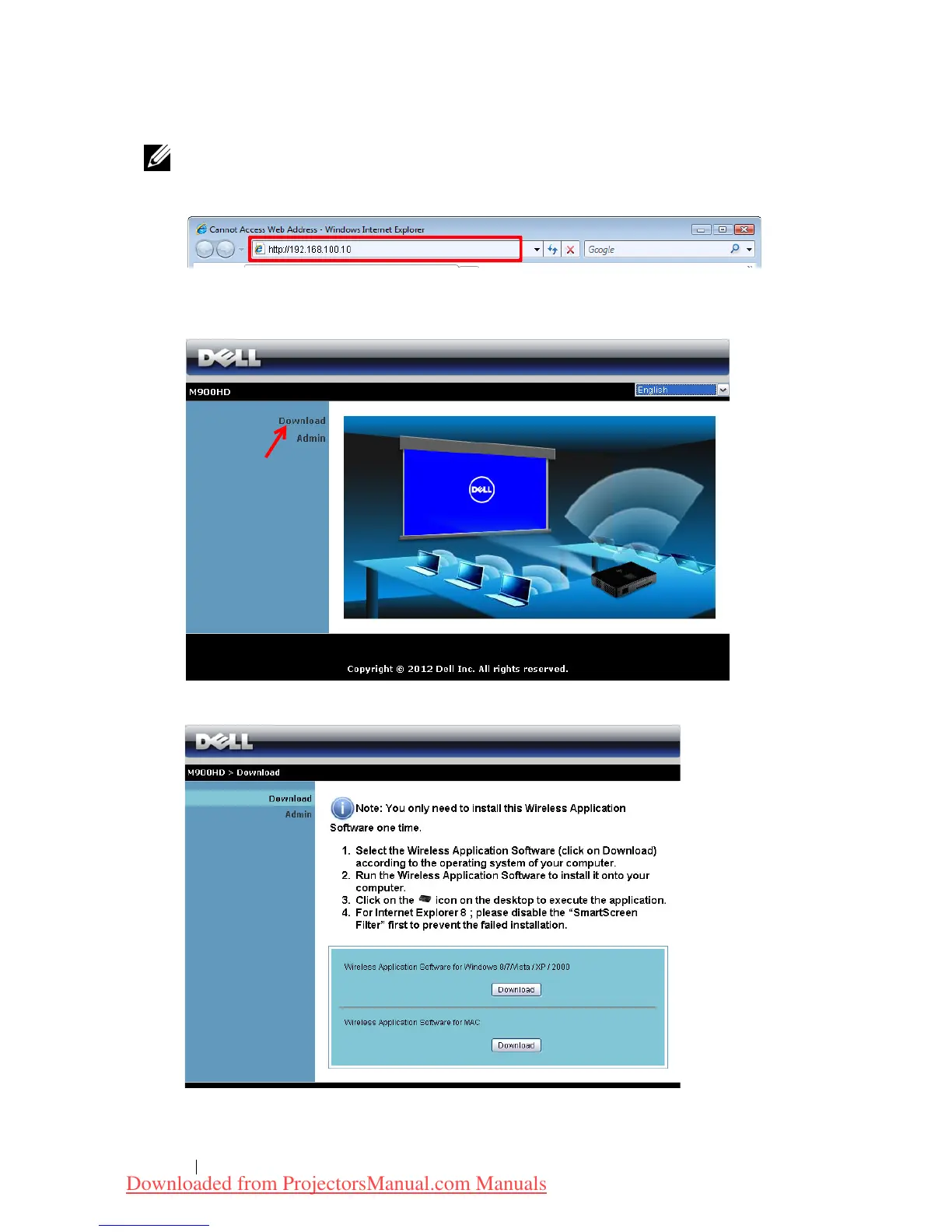
NOTE: If the web page does not load automatically, enter the IP
address (default IP address is 192.168.100.10) noted from the
projector’s screen in the browser’s address bar.
The M900HD Web Management page opens. For first time use, click
Download
.
Select the appropriate operating system, then click
Download
.
Using Your Projector 52
Downloaded from ProjectorsManual.com Manuals



 To Next Page