1
Understanding the Buttons
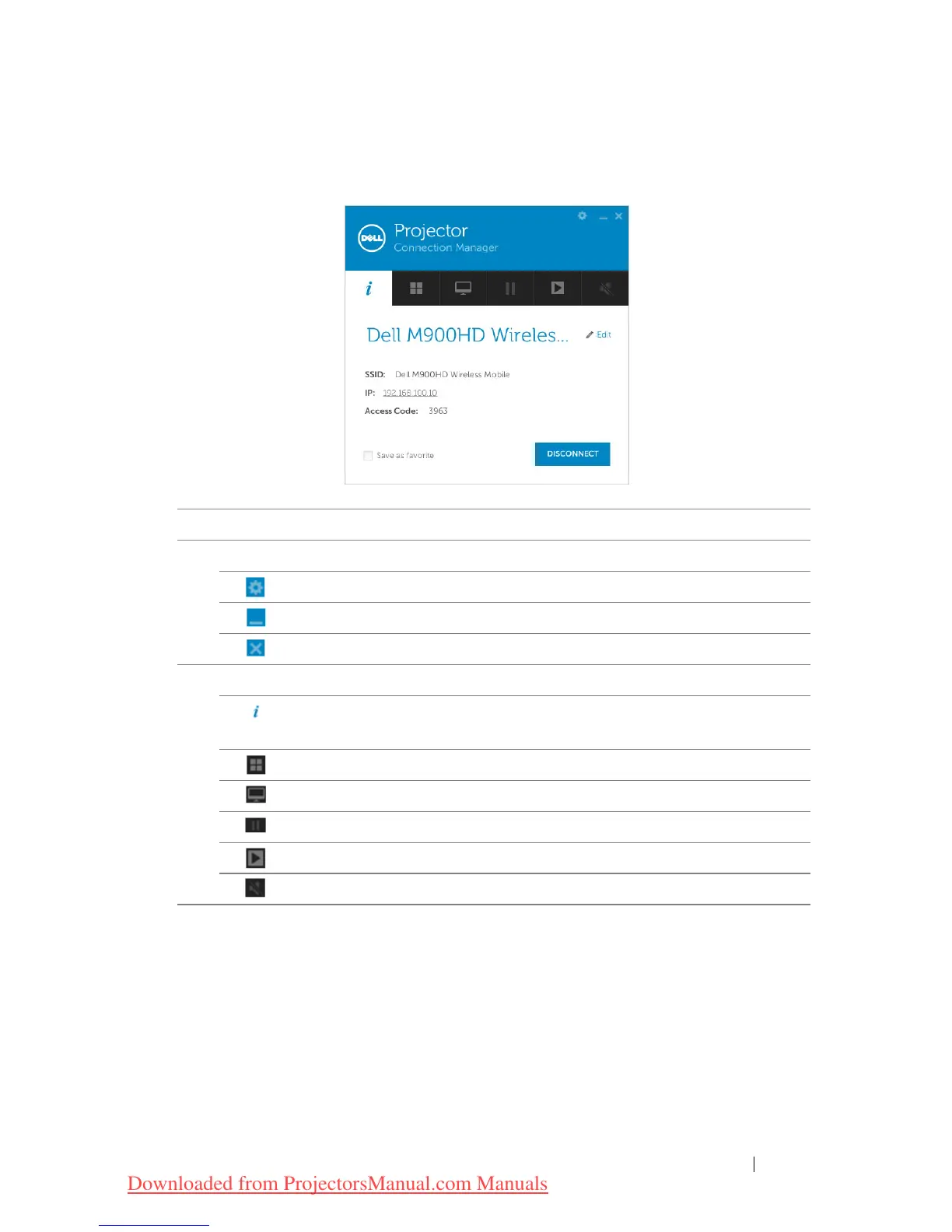
After a successful log in, the following screen appears:
Item Description
Status Bar
Settings Click to activate the application settings.
Minimize button Click to minimize the application.
Close button Click to exit the application.
2 Controls Toolbar
Information Click to display SSID, IP, and Access Code
information.
Share mode Click to activate the share mode.
Display mode Click to change the display mode.
Pause Click to pause projection.
Play Click to project the image in full screen.
Sound Click to enable the sound.
Using Your Projector 55
Downloaded from ProjectorsManual.com Manuals



 To Next Page