11
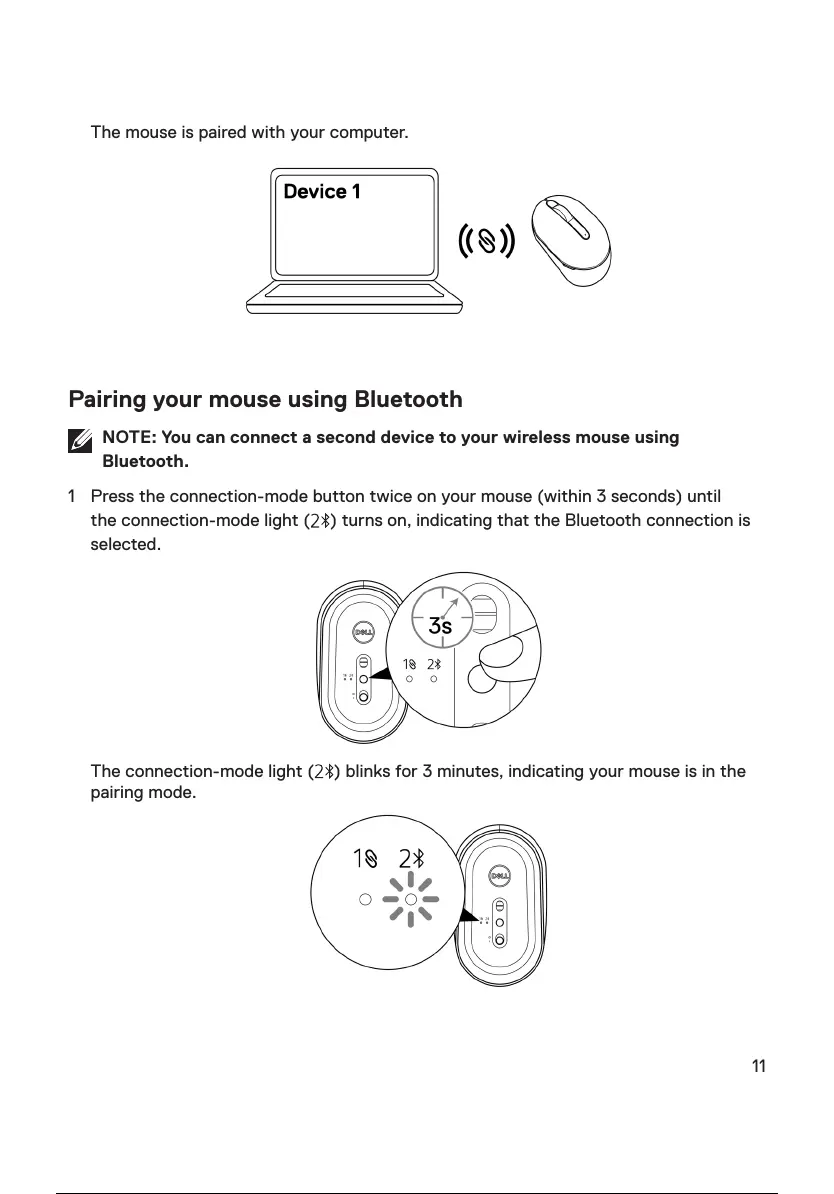
The mouse is paired with your computer.
Pairing your mouse using Bluetooth
NOTE: You can connect a second device to your wireless mouse using
Bluetooth.
1 Press the connection-mode button twice on your mouse (within 3 seconds) until
the connection-mode light ( ) turns on, indicating that the Bluetooth connection is
selected.
The connection-mode light ( ) blinks for 3 minutes, indicating your mouse is in the
pairing mode.
12 / 21



 To Next Page