About this task
NOTE: Your computer has two M.2 solid-state drive slots, both located on the system board adjacent to the left fan. The
procedure to remove a solid-state drive from slot 1 and slot 2 are exactly the same.
NOTE: Depending on the configuration ordered, a 2230 or 2280 solid-state drive may be installed in your computer.
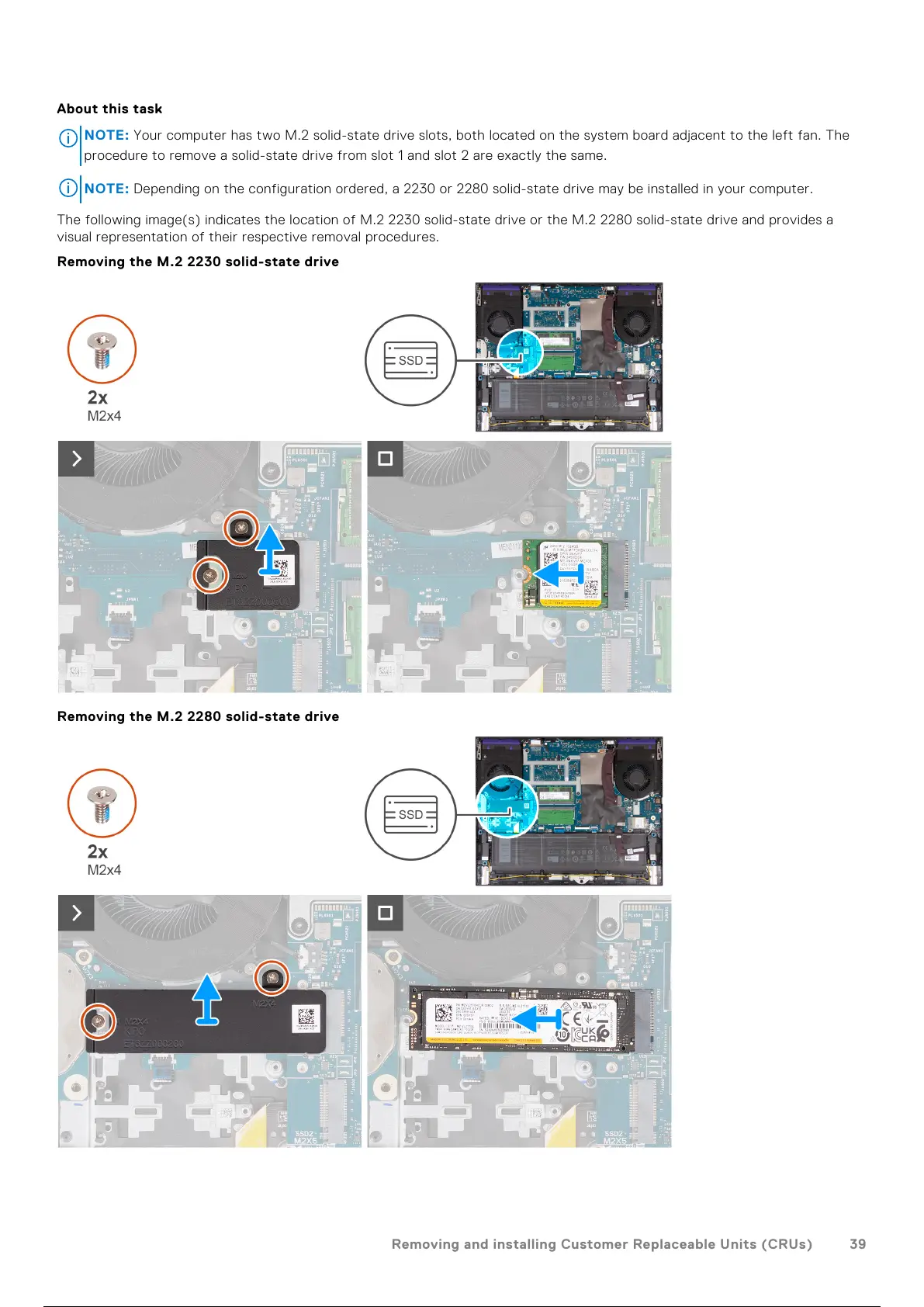
The following image(s) indicates the location of M.2 2230 solid-state drive or the M.2 2280 solid-state drive and provides a
visual representation of their respective removal procedures.
Removing the M.2 2230 solid-state drive
Removing the M.2 2280 solid-state drive
Removing and installing Customer Replaceable Units (CRUs)
39
40 / 101 39 / 99 40 / 101



 To Next Page