Top
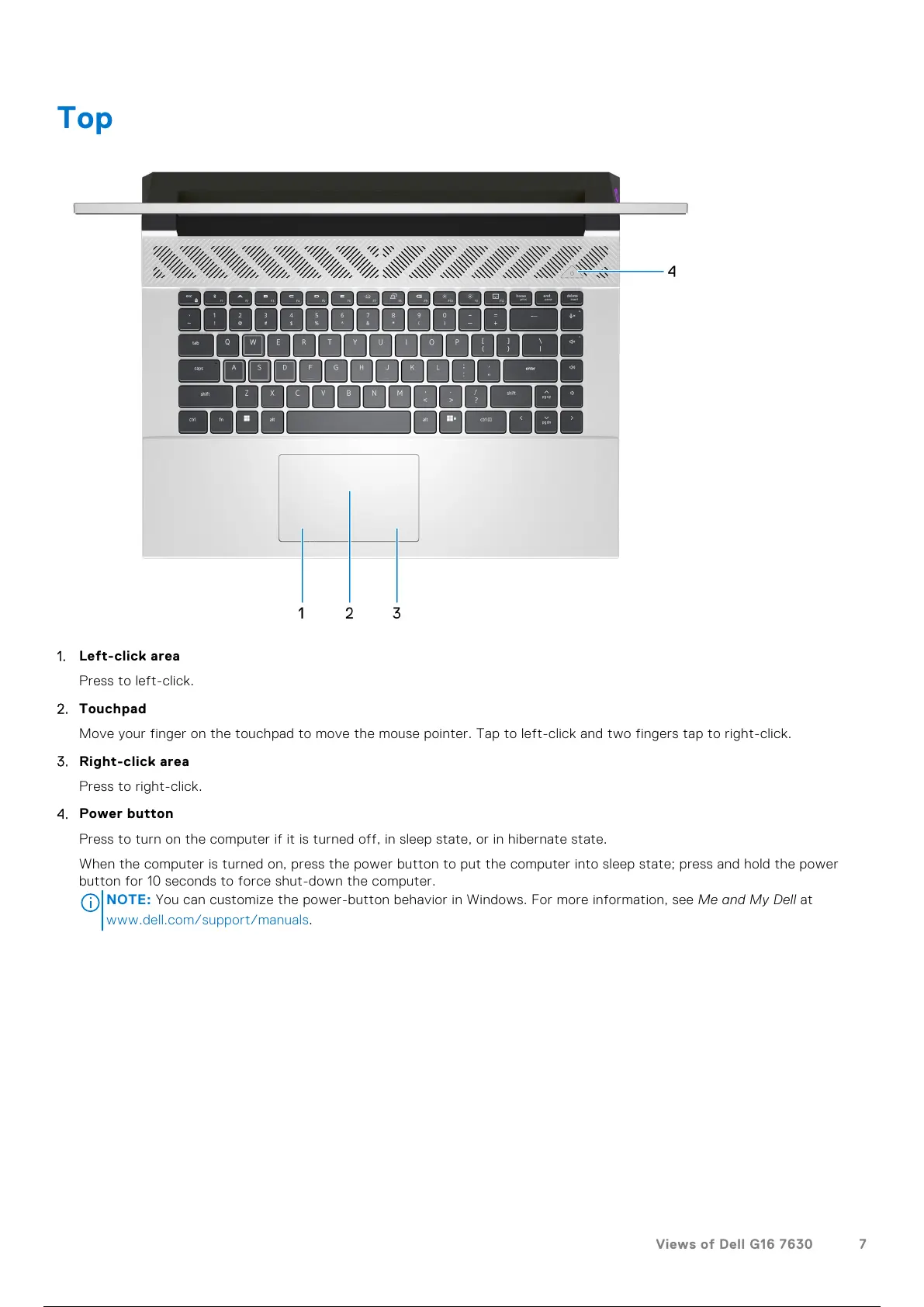
1. Left-click area
Press to left-click.
2. Touchpad
Move your finger on the touchpad to move the mouse pointer. Tap to left-click and two fingers tap to right-click.
3. Right-click area
Press to right-click.
4. Power button
Press to turn on the computer if it is turned off, in sleep state, or in hibernate state.
When the computer is turned on, press the power button to put the computer into sleep state; press and hold the power
button for 10 seconds to force shut-down the computer.
NOTE:
You can customize the power-button behavior in Windows. For more information, see Me and My Dell at
www.dell.com/support/manuals.
Views of Dell G16 7630 7
8 / 101 7 / 99 8 / 101



 To Next Page