Steps
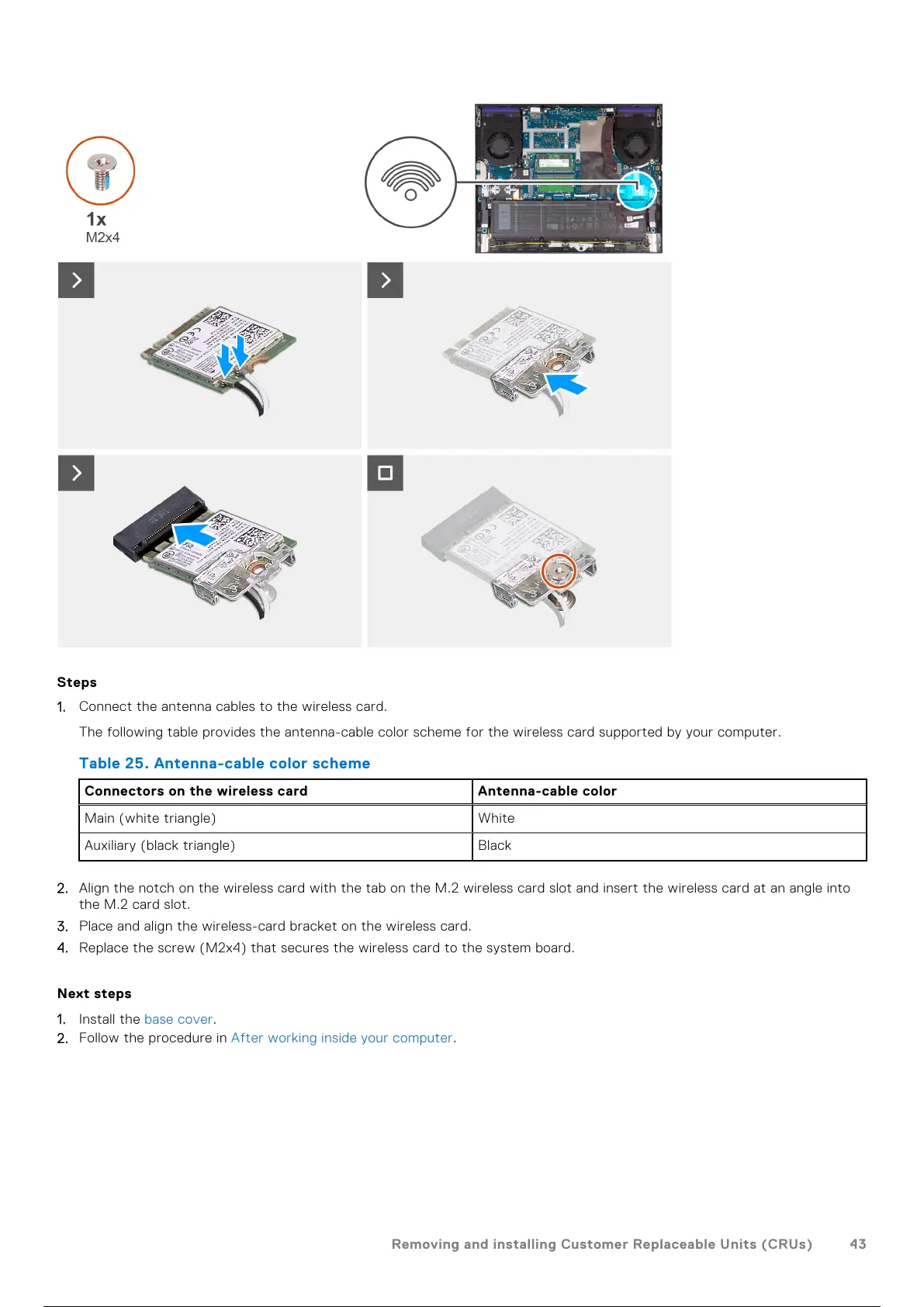
1. Connect the antenna cables to the wireless card.
The following table provides the antenna-cable color scheme for the wireless card supported by your computer.
Table 25. Antenna-cable color scheme
Connectors on the wireless card Antenna-cable color
Main (white triangle) White
Auxiliary (black triangle) Black
2. Align the notch on the wireless card with the tab on the M.2 wireless card slot and insert the wireless card at an angle into
the M.2 card slot.
3. Place and align the wireless-card bracket on the wireless card.
4. Replace the screw (M2x4) that secures the wireless card to the system board.
Next steps
1. Install the base cover.
2. Follow the procedure in After working inside your computer.
Removing and installing Customer Replaceable Units (CRUs)
43
44 / 101 43 / 99 44 / 101



 To Next Page