10
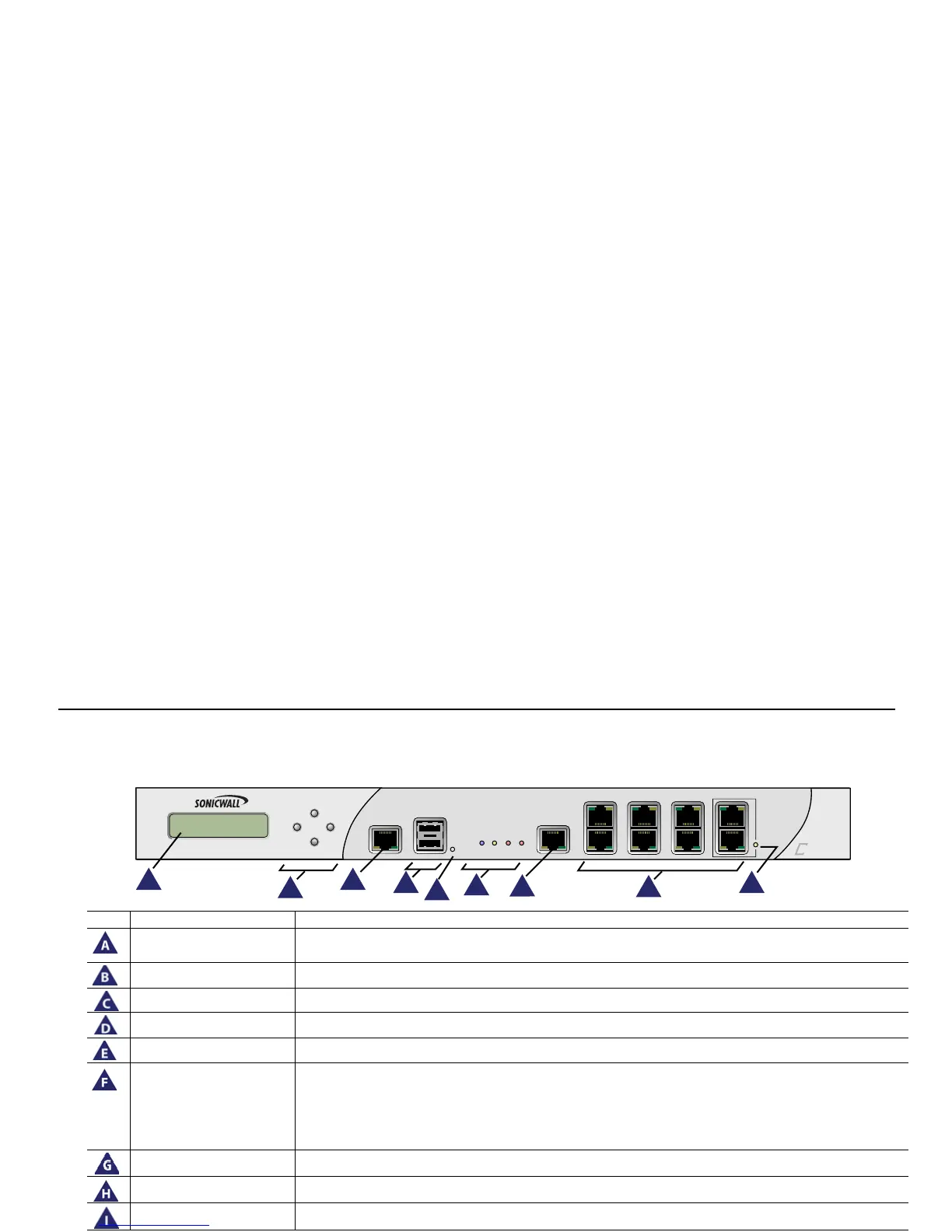
The Front Panel
Icon Feature Description
LCD Screen Displays the front panel bezel interface which can be used to display status information, make certain
configuration changes, restart the appliance or boot the appliance in SafeMode.
Control Buttons Used to navigate the front panel bezel interface.
Console Port Used to access the SonicOS Command Line Interface (CLI) via the DB9 -> RJ45 cable.
USB Ports (2) Future expansion.
Reset Button Press and hold the button for a few seconds to manually reset the appliance.
LED (from left to right) Power LED: Indicates the Dell SonicWALL NSA E5500 is powered on.
Test LED: Flickering: Indicates the appliance is initializing. Steady blinking: Indicates the appliance is in
SafeMode. Solid: Indicates that the appliance is in test mode.
Alarm LED: Indicates an alarm condition.
HD LED: Future extension.
HA Port High Availability port.
X0-X7 (Copper) Gigabit Ethernet ports.
Bypass Status LED Future extension. Please check Release Notes for future availability.



 To Next Page