29 | Initial Setup
Initial Setup
This section provides initial configuration instructions for
connecting your Dell SonicWALL NSA E5500. Follow these
steps if you are setting up Scenario A, B, or C.
This section contains the following sub-sections:
• System Requirements - page 29
• Connecting the WAN Port - page 29
• Connecting the LAN Port - page 30
• Applying Power - page 30
• Accessing the Management Interface - page 30
• Using the Setup Wizard - page 31
• Connecting to Your Network - page 32
• Testing Your Connection - page 32
• Activating Licenses in SonicOS - page 33
• Upgrading Firmware - page 33
System Requirements
Before you begin the setup process, check to verify that you
have:
• An Internet connection
• A Web browser supporting Java Script and HTTP uploads
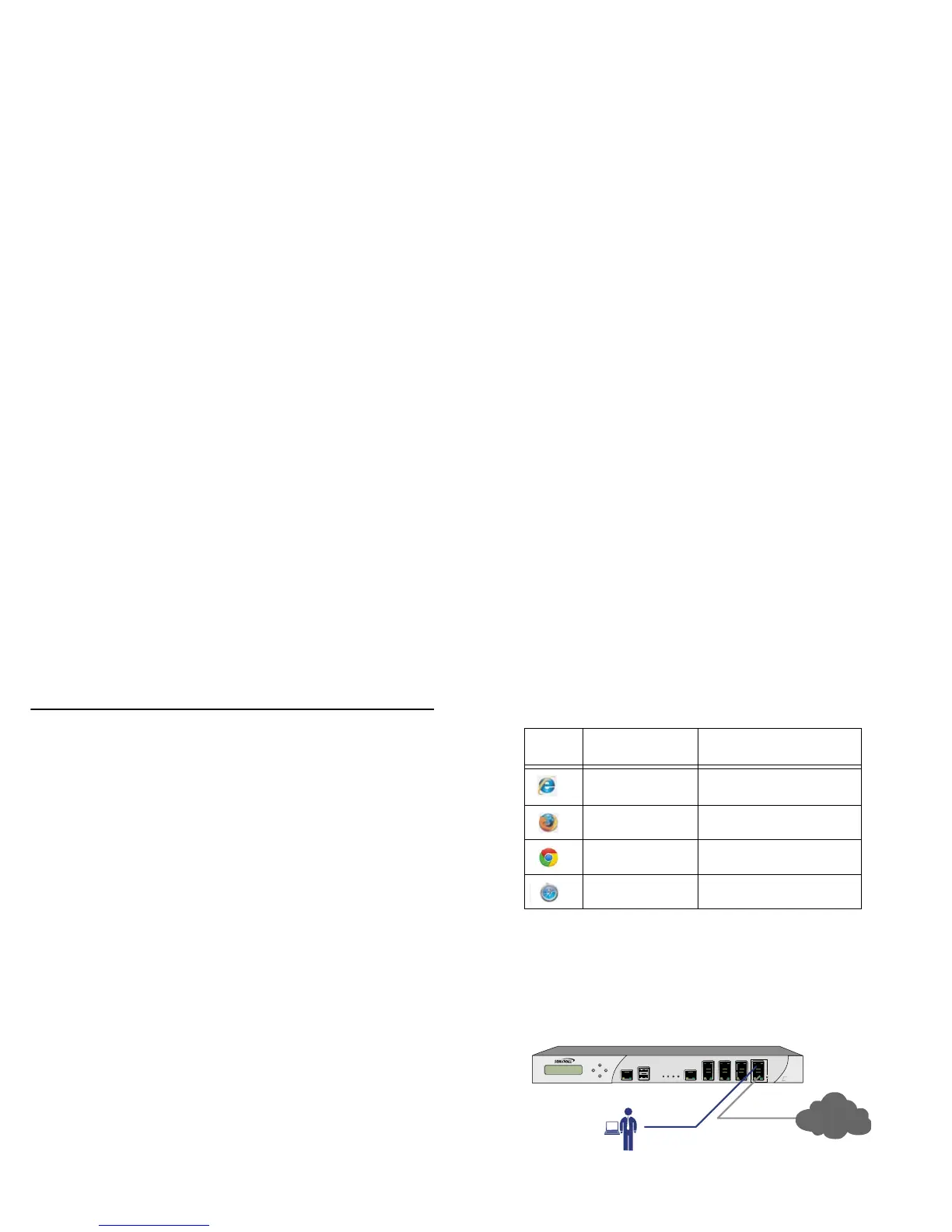
Connecting the WAN Port
1. Connect one end of an Ethernet cable to your Internet
connection.
2. Connect the other end of the cable to the X1 (WAN) port on
your NSA E5500.
Accepted
Browser
Browser Version Number
Internet Explorer 8.0, 9.0, and 10.0 (do not
use compatibility mode)
Firefox 16.0 or higher
Chrome 18.0 or higher
Safari 5.0 or higher for MacOS



 To Next Page