Selecting a Deployment Scenario | 28
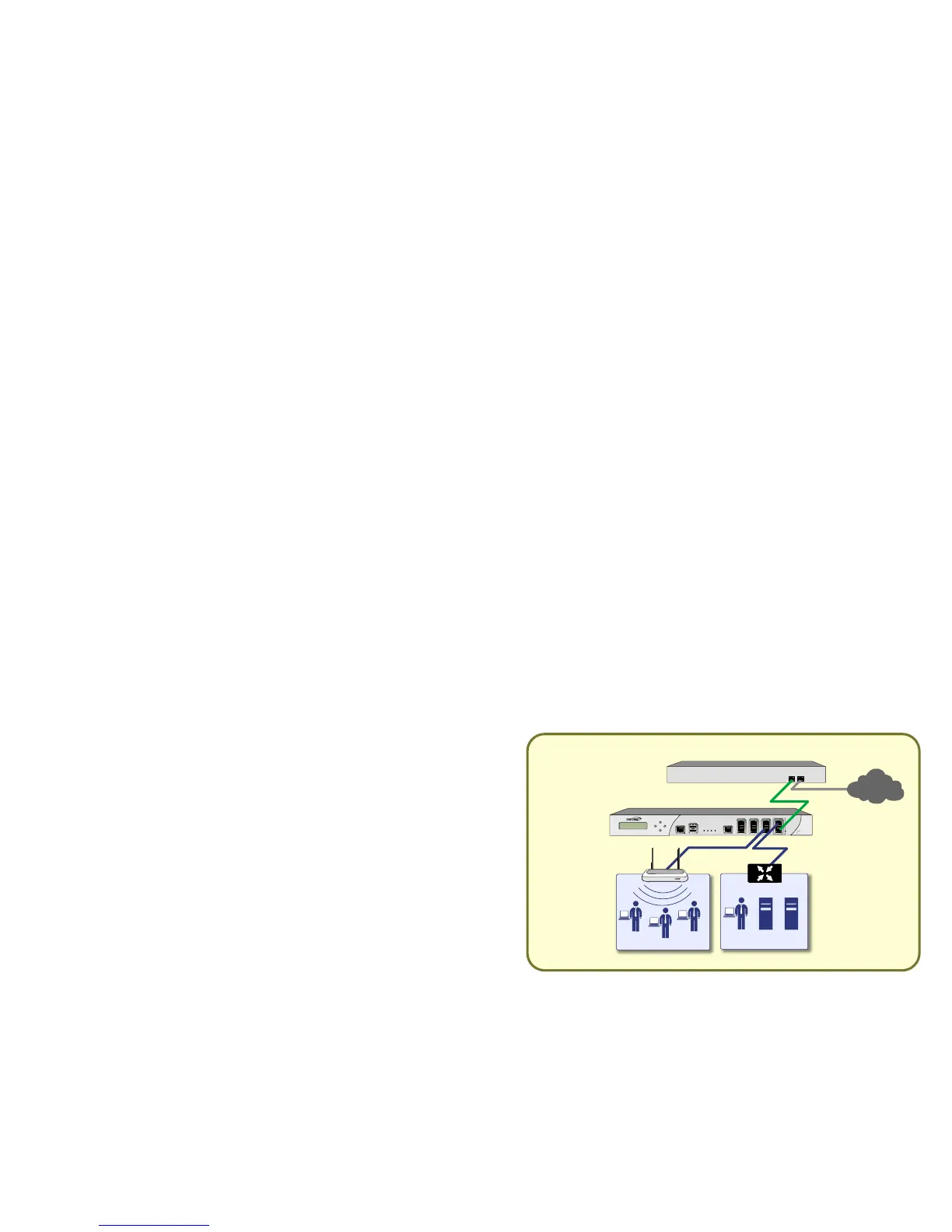
Scenario C: L2 Bridge Mode
For network installations where the Dell SonicWALL NSA
E5500 is running in tandem with an existing network gateway.
In this scenario, the original gateway is maintained. The Dell
SonicWALL NSA E5500 is integrated seamlessly into the
existing network, providing the benefits of deep packet
inspection and comprehensive security services on all network
traffic.
L2 Bridge Mode employs a secure learning bridge architecture,
enabling it to pass and inspect traffic types that cannot be
handled by many other methods of transparent security
appliance integration. Using L2 Bridge Mode, a SonicWALL
security appliance can be non-disruptively added to any
Ethernet network to provide in-line deep-packet inspection for
all traversing IPv4 TCP and UDP traffic. L2 Bridge Mode can
pass all traffic types, including IEEE 802.1q VLANs, Spanning
Tree Protocol, multicast, broadcast and IPv6.
To set up this scenario, follow the steps covered in Initial Setup,
on page 29
and Configuring L2 Bridge Mode, on page 43. If you
have completed setup procedures in those sections, continue to
Additional Deployment Configuration, on page 46, to complete
configuration.



 To Next Page