Configuring L2 Bridge Mode | 44
Configuring the Primary Bridge Interface
The primary bridge interface is your existing Internet gateway
device. The only step involved in setting up your primary bridge
interface is to ensure that the WAN interface is configured for a
static IP address. You will need this static IP address when
configuring the secondary bridge.
Note: The primary bridge interface must have a static IP
assignment.
Configuring the Secondary Bridge Interface
Complete the following steps to configure the Dell SonicWALL
appliance:
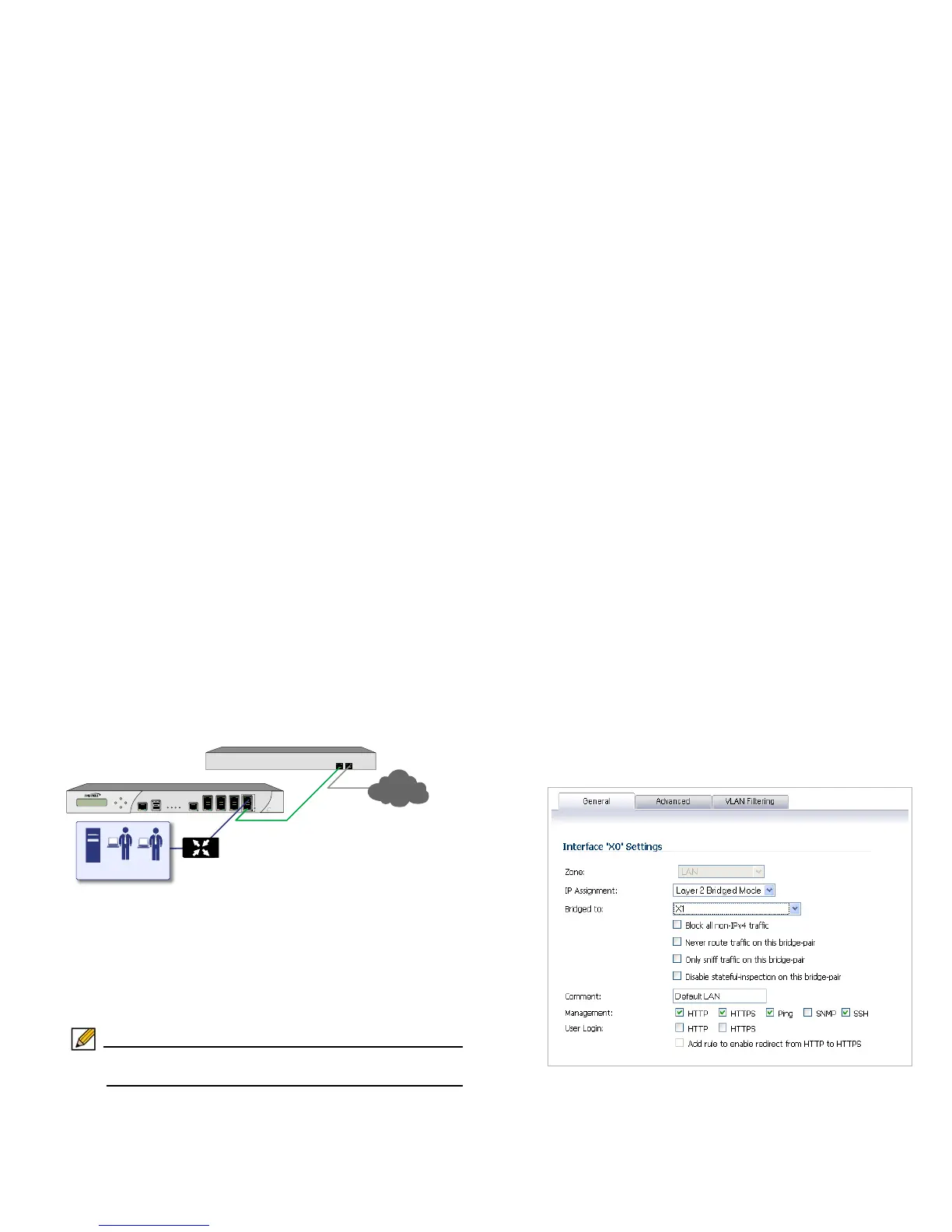
1. Navigate to the Network > Interfaces page from the
navigation panel.
2. Click the Configure icon in the right column of the X0 (LAN)
interface.
3. In the IP Assignment drop-down, select Layer 2 Bridged
Mode.
4. In the Bridged to drop-down, select the X1 interface.
5. Configure management options (HTTP, HTTPS, Ping,
SNMP, SSH, User logins, or HTTP redirects).



 To Next Page