• optional Ethernet port card
• PCIe expansion card
• VGA daughter board
• processor
• heat sink assembly
6. Close the front bezel door.
7. Install the:
• bezel
• cover
8. Follow the procedure in After Working Inside Your Computer.
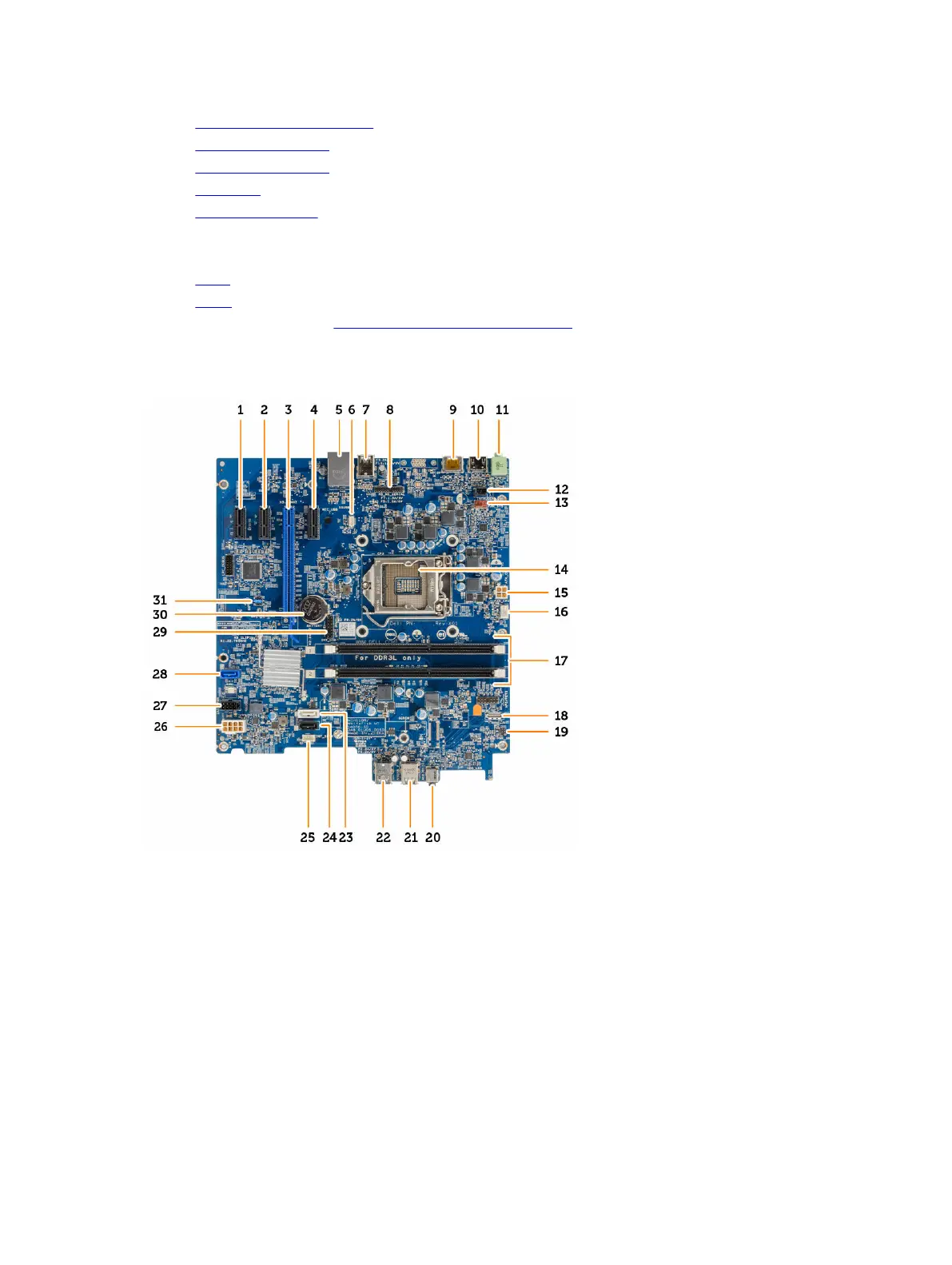
System board layout
1. PCIe x1 connector 2. PCIe x1 connector
3. PCIe x16 connector 4. PCIe x1 connector
5. RJ-45 connector 6. VGA daughter board connector
7. USB 3.0 connector 8. PS2/COM daughter board connector
9. DisplayPort connector 10. HDMI connector
11. Line out connector 12. Intrusion switch connector
13. System fan connector 14. Processor
15. CPU power connector 16. CPU fan connector
26












 To Next Page