EasyManua.ls Logo

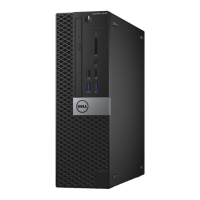
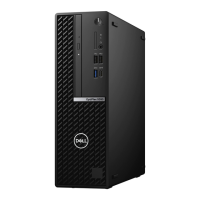
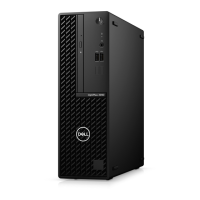
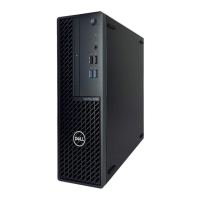
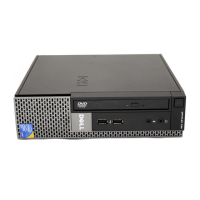
Dell OptiPlex 5080 Small Form Factor - User Manual

Dell OptiPlex 5080 Small Form Factor
51 pages
Print Icon
To Next Page IconTo Next Page
Loading...
OptiPlex 5080 Small Form Factor
Service Manual
Regulatory Model: D15S
Regulatory Type: D15S001
May 2020
Rev. A00

Table of Contents

Other manuals for Dell OptiPlex 5080 Small Form Factor

Questions and Answers

  • J
    Joshua OrrSep 8, 2025
    How to resolve a 'BIOS Checksum Failure' on a Dell Desktop?
    • R
      Richard SosaSep 8, 2025
      If your Dell Desktop displays a 'BIOS Checksum Failure', the system is in Recovery Mode. Flash the latest BIOS version. If the problem continues, replace the motherboard.
  • B
    brennanangelaAug 28, 2025
    Why does my Dell OptiPlex 5080 Small Form Factor say 'CMOS checksum error'?
    • B
      Brittany DavisAug 28, 2025
      This message indicates that the RTC is reset, and the BIOS Setup default has been loaded.
  • K
    Kim FergusonAug 26, 2025
    Why does my Dell OptiPlex 5080 Small Form Factor Desktop say time-of-day clock lost power?
    • J
      Juan WoodsAug 26, 2025
      If your Dell Desktop displays 'TIME-OF-DAY CLOCK LOST POWER', connect your computer to an electrical outlet to charge the battery. If the problem persists, try to restore the data by entering the System Setup program, then immediately exit the program.
  • J
    Jonathan TorresSep 12, 2025
    What to do if my Dell OptiPlex 5080 Small Form Factor Desktop displays 'Memory Allocation Error'?
    • S
      Sarah AndersonSep 12, 2025
      If your Dell Desktop displays 'Memory Allocation Error', the software you are attempting to run is conflicting with the operating system, another program, or a utility. Shut down the computer, wait for 30 seconds, and then restart it. Run the program again. If the error message still appears, see the software documentation.
  • A
    Angela CurtisSep 9, 2025
    How to resolve 'The File Being Copied Is Too Large' error on Dell Desktop?
    • T
      Timothy HunterSep 9, 2025
      If your Dell Desktop displays the error 'The File Being Copied Is Too Large For The Destination Drive', the file you're trying to copy is too large to fit on the disk, or the disk is full. Try copying the file to a different disk or use a larger capacity disk.
  • A
    Allen AllenAug 29, 2025
    How to fix 'Memory Address Line Failure' on my Dell OptiPlex 5080 Small Form Factor Desktop?
    • K
      Karl KirbyAug 29, 2025
      A memory module may be faulty or improperly seated. Reinstall the memory module or, if necessary, replace it.
  • A
    andrew82Aug 31, 2025
    Why is licensed content not accessible in MediaDirect on my Dell OptiPlex 5080 Small Form Factor?
    • D
      dustinjacksonAug 31, 2025
      Dell MediaDirect cannot verify the Digital Rights Management (DRM) restrictions on the file, so the file cannot be played.
  • D
    Danielle HernandezSep 2, 2025
    What to do if my Dell Desktop CPU has failed?
    • J
      Jason MontoyaSep 2, 2025
      Run the Intel CPU diagnostics tools. If the problem persists, replace the system board.
  • R
    Ronnie RiveraSep 6, 2025
    How to fix 'Gate A20 Failure' on Dell OptiPlex 5080 Small Form Factor?
    • C
      curtisdianeSep 6, 2025
      If your Dell Desktop displays 'Gate A20 Failure', a memory module may be loose. Try reinstalling the memory module, or replace it if necessary.
  • J
    Julie TorresSep 23, 2025
    What to do if no memory/RAM is detected in my Dell Water Filtration System?
    • N
      Nicole WalkerSep 23, 2025
      If your Dell Water Filtration System isn't detecting memory/RAM, first ensure the memory module is properly installed. If the problem continues, you may need to replace the memory module.

Dell OptiPlex 5080 Small Form Factor Specifications

General IconGeneral
BrandDell
ModelOptiPlex 5080 Small Form Factor
CategoryDesktop
LanguageEnglish

Related product manuals