EasyManua.ls Logo

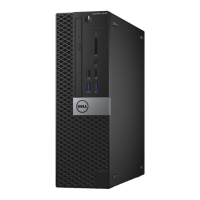
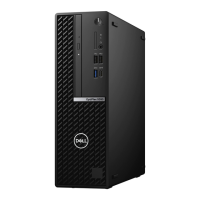
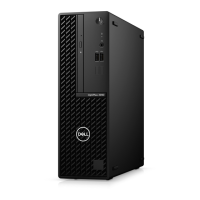
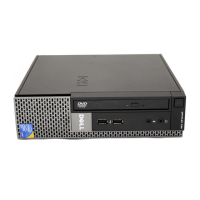
Dell OptiPlex 5080 Small Form Factor - User Manual

Dell OptiPlex 5080 Small Form Factor
51 pages
Print Icon
To Next Page IconTo Next Page
Loading...
OptiPlex 5080 Small Form Factor
Service Manual
Regulatory Model: D15S
Regulatory Type: D15S001
May 2020
Rev. A00

Table of Contents

Other manuals for Dell OptiPlex 5080 Small Form Factor

Questions and Answers

  • K
    Kim FergusonAug 26, 2025
    Why does my Dell OptiPlex 5080 Small Form Factor Desktop say time-of-day clock lost power?
    • J
      Juan WoodsAug 26, 2025
      If your Dell Desktop displays 'TIME-OF-DAY CLOCK LOST POWER', connect your computer to an electrical outlet to charge the battery. If the problem persists, try to restore the data by entering the System Setup program, then immediately exit the program.
  • D
    Danielle HernandezSep 2, 2025
    What to do if my Dell Desktop CPU has failed?
    • J
      Jason MontoyaSep 2, 2025
      Run the Intel CPU diagnostics tools. If the problem persists, replace the system board.
  • J
    James GordonSep 23, 2025
    What to do if a memory module is loose in Dell OptiPlex 5080 Small Form Factor Desktop?
    • M
      Mary ReyesSep 23, 2025
      Reinstall the memory module or, if necessary, replace it in your Dell Desktop.
  • J
    Jonathan TorresSep 12, 2025
    What to do if my Dell OptiPlex 5080 Small Form Factor Desktop displays 'Memory Allocation Error'?
    • S
      Sarah AndersonSep 12, 2025
      If your Dell Desktop displays 'Memory Allocation Error', the software you are attempting to run is conflicting with the operating system, another program, or a utility. Shut down the computer, wait for 30 seconds, and then restart it. Run the program again. If the error message still appears, see the software documentation.
  • L
    Linda AndrewsSep 6, 2025
    Why does my Dell OptiPlex 5080 Small Form Factor Desktop have 'Memory configuration or incompatible error'?
    • A
      April MasseySep 7, 2025
      Memory subsystem configuration activity is in progress. If you can assist with troubleshooting, try removing the memory modules one by one on the motherboard to determine which one failed. Also, combine the configuration to validate the appropriate combination.
  • M
    Marcus GreenSep 4, 2025
    What to do if my Dell OptiPlex 5080 Small Form Factor Desktop has Intel ME (Management Engine) time-out error?
    • D
      Donna SmithSep 4, 2025
      Timeout waiting on ME to reply to HECI message. If the problem persists, replace the system board.
  • S
    Sharon KaneSep 8, 2025
    What does 'Bad Command Or File Name' mean on my Dell OptiPlex 5080 Small Form Factor Desktop and how to fix it?
    • K
      Katherine IngramSep 8, 2025
      If your Dell Desktop displays 'Bad Command Or File Name', ensure that you have spelled the command correctly, put spaces in the proper place, and used the correct path name.
  • J
    jmarquezSep 12, 2025
    What to do if my Dell Laptop has system board failure?
    • J
      james70Sep 12, 2025
      Try flashing the latest BIOS version. If the issue remains, the system board may need to be replaced.
  • S
    Samantha SchroederAug 27, 2025
    What causes power rail failure on Dell Desktop?
    • I
      Isaac RomeroAug 27, 2025
      If your Dell Desktop experiences a power rail failure, it means that EC ran into power sequencing failure. If the problem persists, replace the system board.
  • P
    patriciabakerAug 27, 2025
    What to do if auxiliary device failure on Dell Desktop?
    • M
      meghangrayAug 27, 2025
      If your Dell Desktop experiences an auxiliary device failure, the touchpad or external mouse may be faulty. For an external mouse, check the cable connection. Enable the Pointing Device option in the System Setup program.

Dell OptiPlex 5080 Small Form Factor Specifications

General IconGeneral
BrandDell
ModelOptiPlex 5080 Small Form Factor
CategoryDesktop
LanguageEnglish

Related product manuals