OptiPlex580TechnicalGuidebook Page15
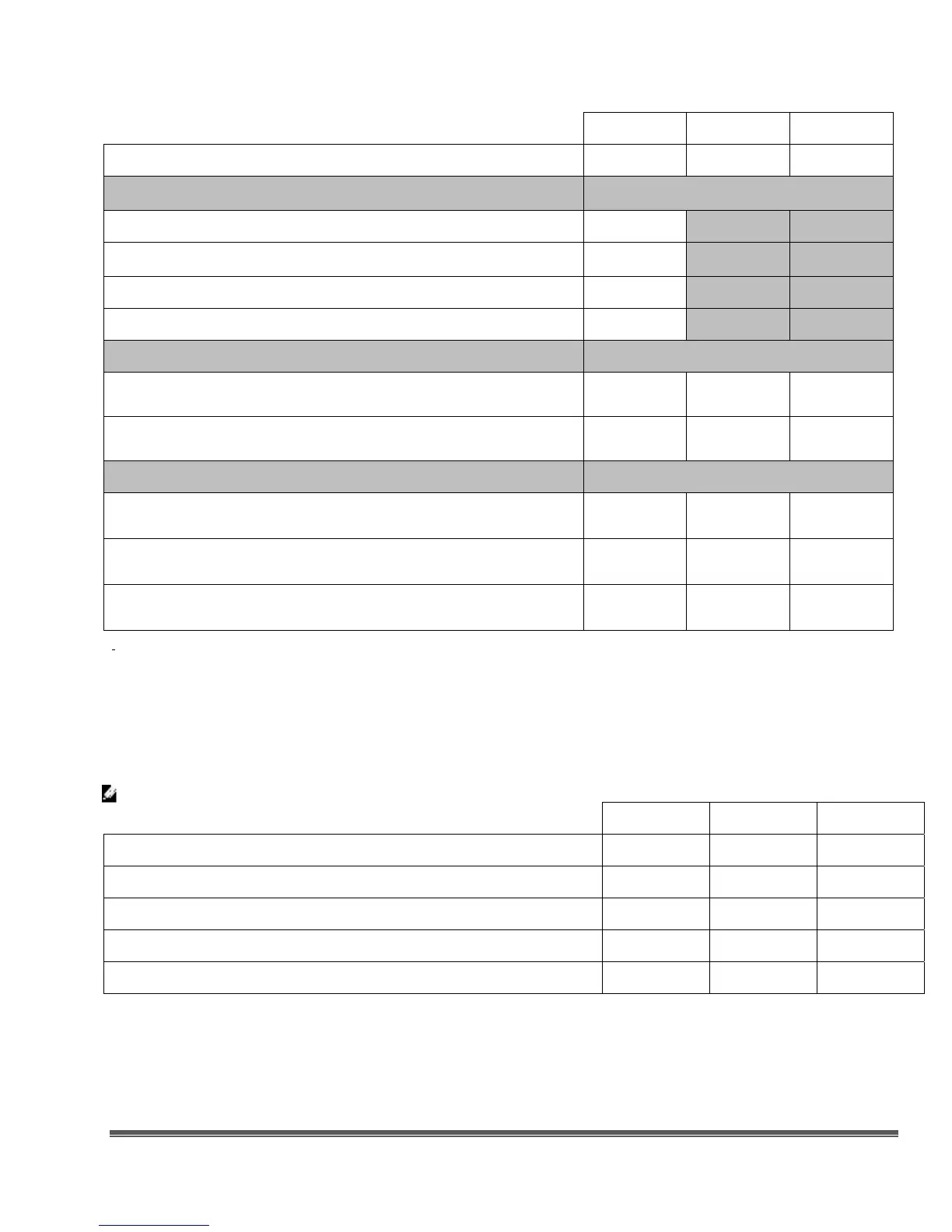
MT DT SFF
160GB
1
SATA 7200 RPM HDD X
X
X
3.5” RAID 0 Performance: (includes two matching capacity/speed hard drives)
320GB
1
SATA 10K RPM HDD X
1TB
1
SATA 7200 RPM HDD
X
500GB
1
SATA 7200 RPM HDD X
320GB
1
SATA 7200 RPM HDD X
2.5” RAID 0 Performance: (includes two matching capacity/speed hard drives)
500GB
1
SATA 7200 RPM HDD
X
X
X
320GB
1
SATA 7200 RPM HDD
X
X
X
Optical Drive: (SFF requires a slimline optical drive)
DVD+/-RW
2
SATA 1.5Gbit/s SATA 1.5Gbit/s SATA 1.5Gbit/s
DVD-ROM
3
SATA 1.5Gbit/s SATA 1.5Gbit/s SATA 1.5Gbit/s
DVD+/-RW
2
with Blu-Ray-ROM
SATA 1.5Gbit/s SATA 1.5Gbit/s SATA 1.5Gbit/s
1
For hard drives, GB means 1 billion bytes; actual capacity varies with preloaded material and operating environment and will be less.
2
Discs burned with this drive may not be compatible with some existing drives and players; using DVD+R media provides maximum
compatibility.
3
DVD-ROM drives may have write-capable hardware that has been disabled via firmware modifications.
System Board Connectors
NOTE: See Detailed Engineering Specifications for maximum card dimensions support.
MT DT SFF
PCI Slot(s): number of 2 1 0
PCIe x16 Slot: number of 1 1 1
PCIe x16 (wired as x4) Slot: number of 1 1 1
Flexbay 1 1 1
Serial ATA (SATA) 4 3 3










 To Next Page