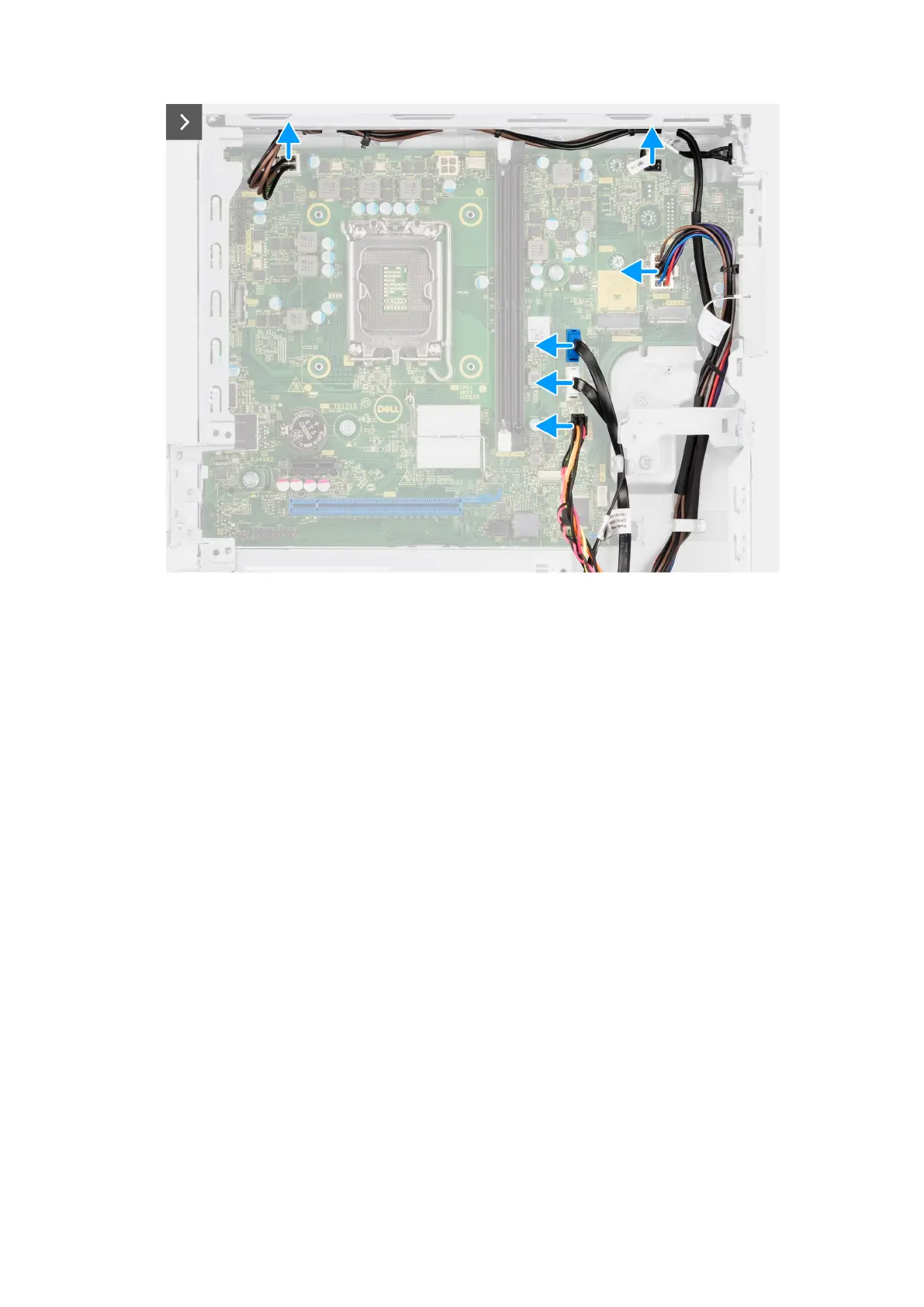
Figure 58. Removing the system board
3. Disconnect the power-supply cables from their connectors (ATX CPU1, ATX CPU2 and ATX SYS) on the system board.
4. Disconnect the power button cable from its connector (PWR SW) on the system board.
5. Disconnect the system-fan cable from its connector (FAN SYS) on the system board.
6. Disconnect the hard-drive data cable from its connector (SATA-0) on the system board.
7. Disconnect the optical-drive/hard-drive data cable from its connector (SATA-3) on the system board.
8. Disconnect the SATA power cable from its connector (SATA PWR) on the system board.
Removing and installing Field Replaceable Units (FRUs)
105
Restricted - Confidential













 To Next Page