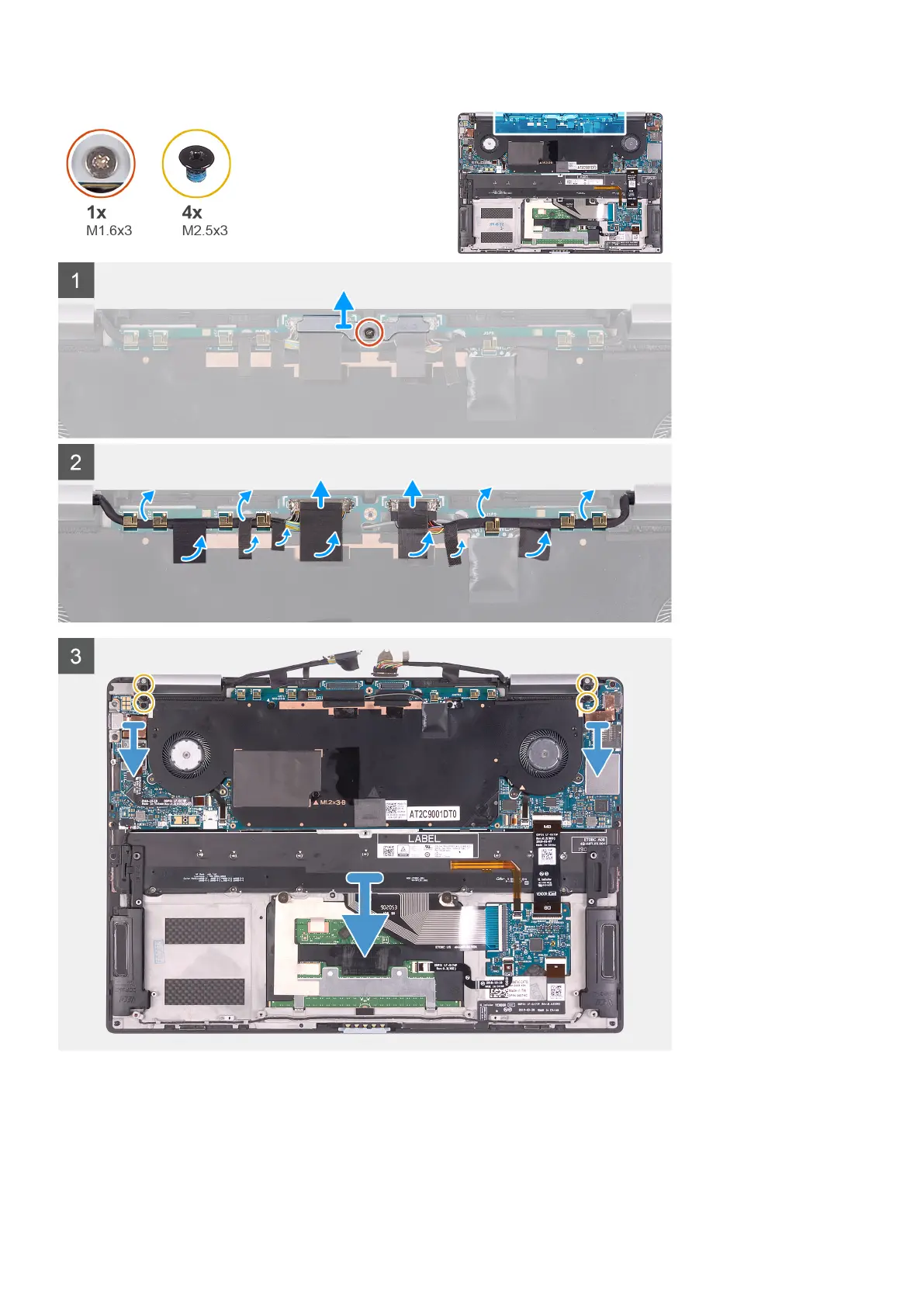
Steps
1. Loosen the captive screw (M1.6x3) that secures the display-cable bracket to the system board.
2. Lift the display-cable bracket off the system board.
3. Peel the tapes that secure the display cable and camera cable to the system board.
4. Using the tape as a pull tab, disconnect the display cable and camera cable from the system board.
Removing and installing components
19



 To Next Page