Removing and installing components
NOTE: The images in this document may differ from your computer depending on the configuration you ordered.
Recommended tools
The procedures in this document may require the following tools:
● Phillips screwdriver #00 (used for M1.6, M2 screw types)
● Phillips screwdriver #0 (used for M2.5 screw types)
● Torx screwdriver T5 (used for Torx screws)
● Plastic scribe
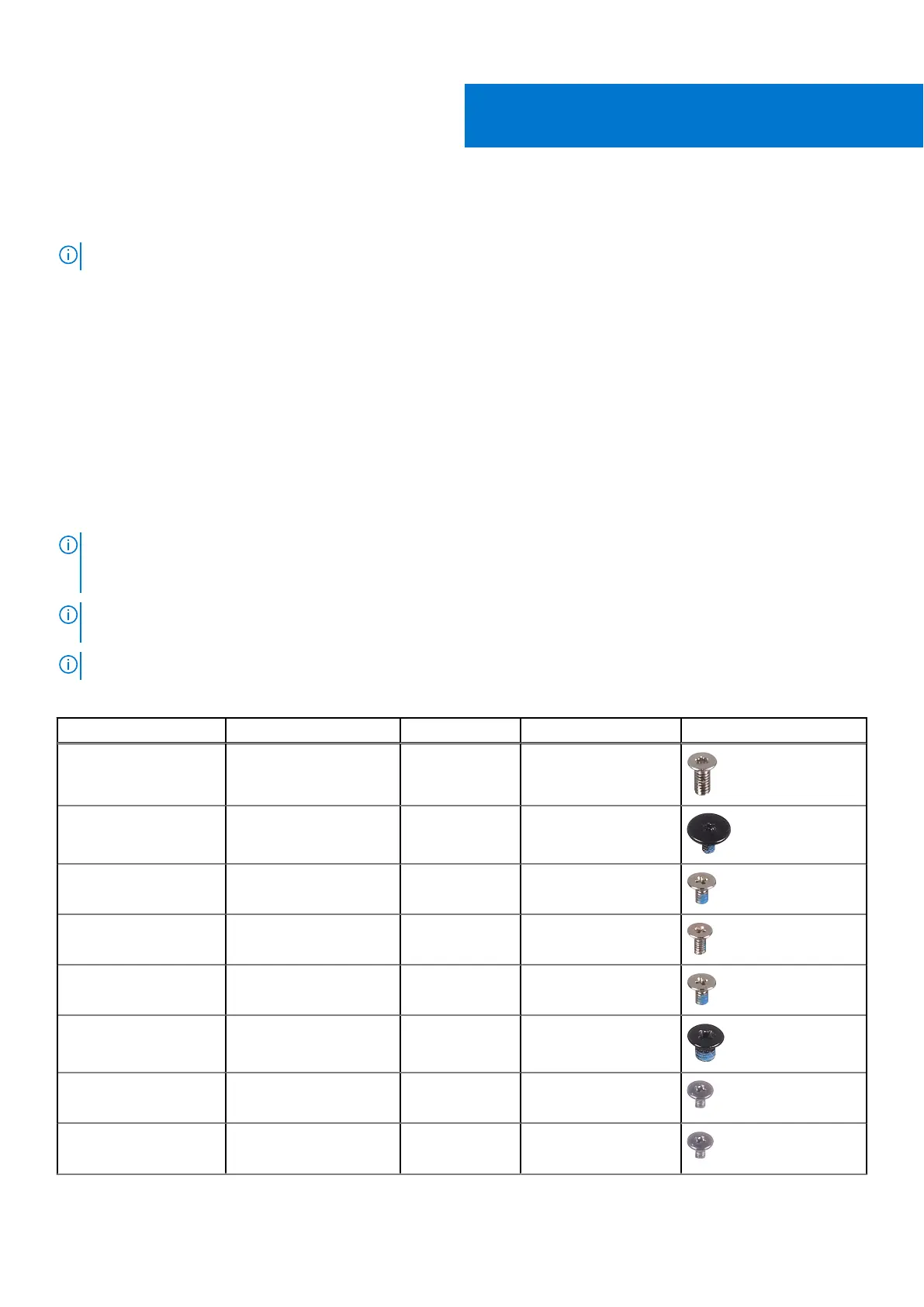
Screw list
NOTE: When removing screws from a component, it is recommended to note the screw type, the quantity of screws, and
then place them in a screw storage box. This is to ensure that the correct number of screws and correct screw type is
restored when the component is replaced.
NOTE: Some computers have magnetic surfaces. Ensure that the screws are not left attached to such surfaces when
replacing a component.
NOTE: Screw color may vary with the configuration ordered.
Table 1. Screw list
Component Secured to Screw type Quantity Screw image
Base cover Palm-rest assembly M2x4.5 (Torx
screw)
8
Battery System board M1.6x3.4 (Torx
screw)
1
Battery Palm-rest assembly M1.6x3 7
Battery Palm-rest assembly M1.2x4 2
Display-cable bracket System board M1.6x3 (captive
screw)
1
Display assembly Palm-rest assembly M2.5x3 4
Keyboard bracket (left) Palm-rest assembly M1.2x2.5 1
Keyboard bracket (right) Palm-rest assembly M1.2x2.5 1
2
8 Removing and installing components



 To Next Page