System board
Removing the system board
Prerequisites
CAUTION: Back up all files on the solid-state drive (SSD) to an external storage device before getting your
device ready for service. The SSD is soldered onto the system board, and the service replacement board does
not have an operating system that is preinstalled on it.
Restore files from your backup after the device has been serviced with its reinstalled operating system.
1. Follow the procedure in Before working inside your computer.
2. Remove the base cover.
3. Remove the battery.
About this task
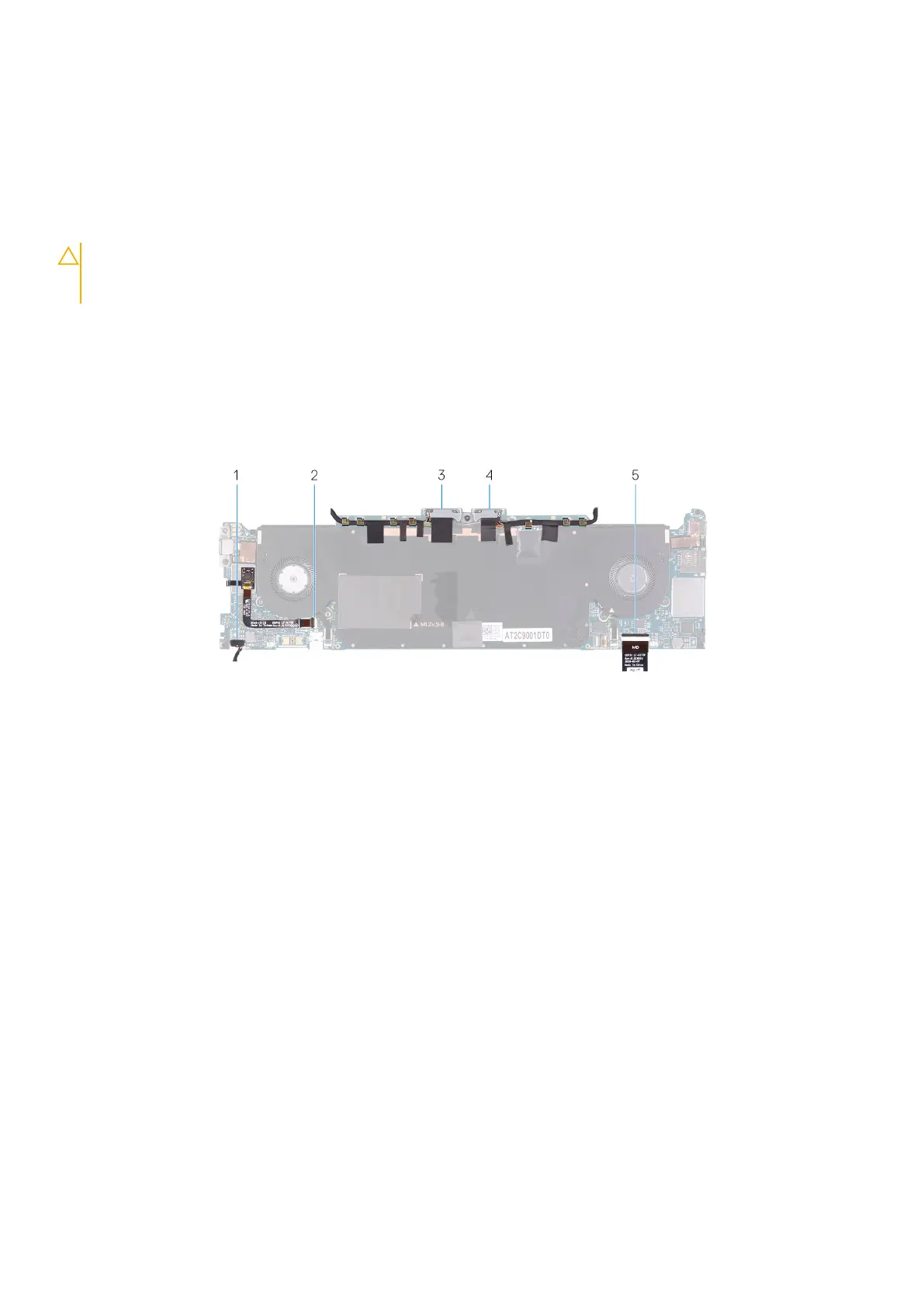
The following image indicates the connectors on your system board.
Figure 1. System-board connectors
1.
Speaker cable 2. Fingerprint-reader cable
3. Display cable 4. Camera cable
5. Keyboard-controller board cable
The following images indicate the location of system board and provide a visual representation of the removal procedure.
24
Removing and installing components



 To Next Page