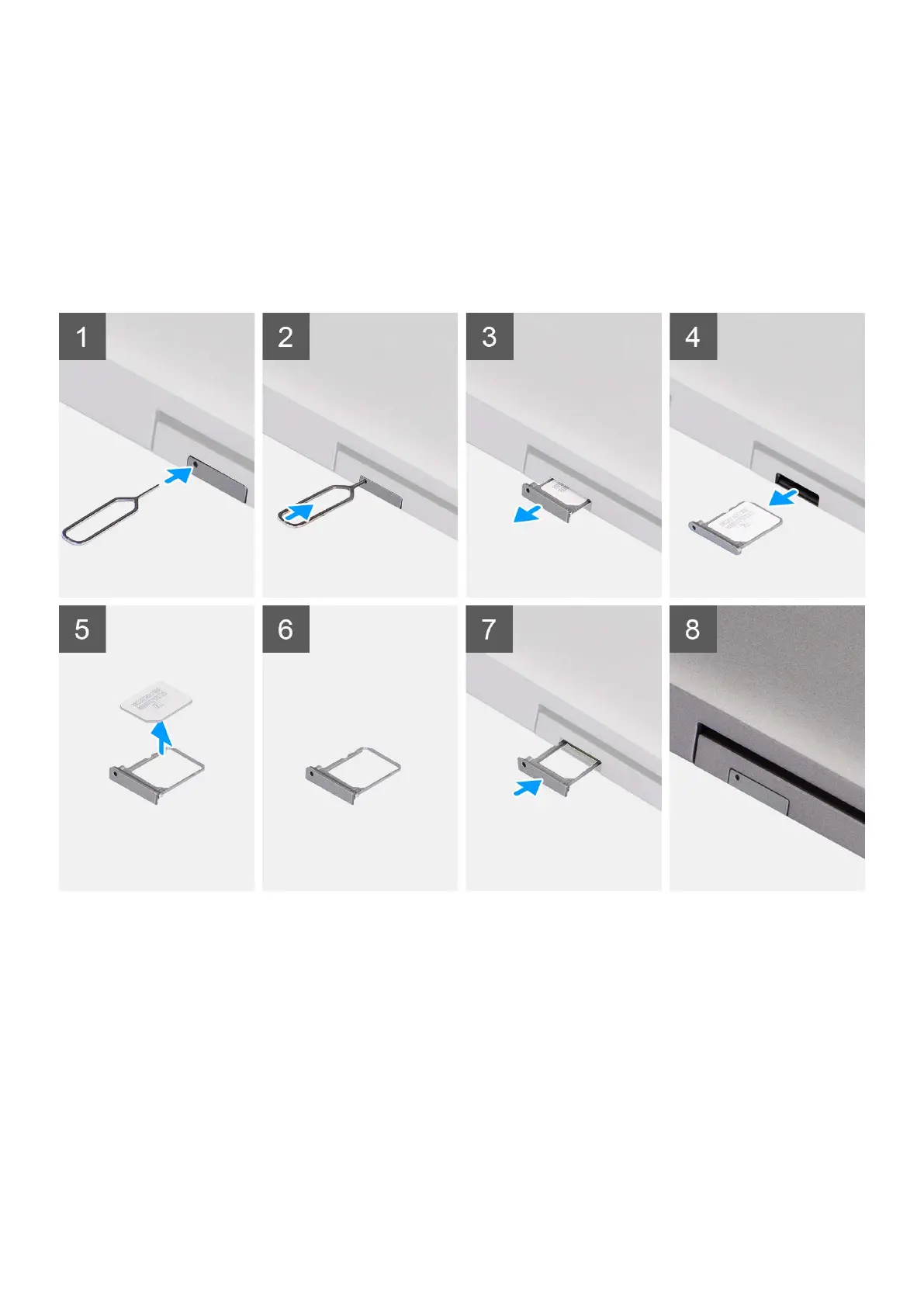
Steps
1. Insert a pin into the release hole of the SIM tray and push inward until the tray is released.
2. Slide the SIM tray out of the slot on the computer.
3. Remove the SIM card from the SIM tray.
4. Slide the SIM card tray into the slot, until it clicks into place.
Installing the SIM card
Prerequisites
If you are replacing a component, remove the existing component before the installation procedure.
Removing and installing components
15



 To Next Page