Steps
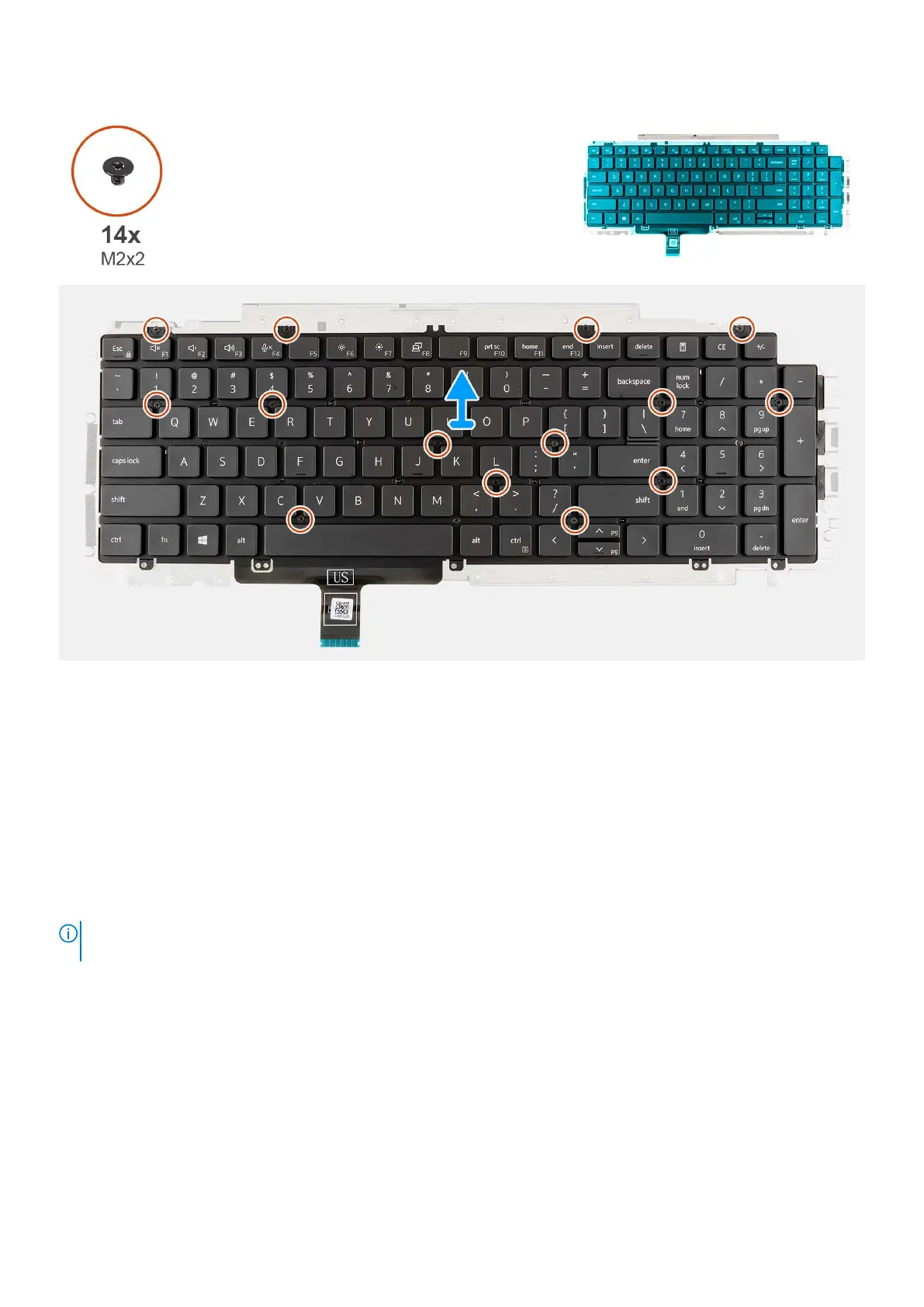
1. Remove the fourteen screws (M2x2) that secure the keyboard to the keyboard bracket.
2. Remove the keyboard from the keyboard bracket.
Installing the keyboard bracket
Prerequisites
If you are replacing a component, remove the existing component before performing the installation procedure.
About this task
NOTE:
The system board can be installed with the heat sink attached in order to simplify the procedure and preserve the
thermal bond between the system board and heat sink.
The following image indicates the location of the keyboard bracket and provides a visual representation of the installation
procedure.
88
Removing and installing components



 To Next Page