18. Fan
NOTE: Dell provides a list of components and their part numbers for the original system configuration purchased. These
parts are available according to warranty coverages purchased by the customer. Contact your Dell sales representative for
purchase options.
NOTE: Depending on the configuration ordered, some components may not installed in your computer.
Base cover
Removing the base cover
Prerequisites
1. Follow the procedure in Before working inside your computer.
About this task
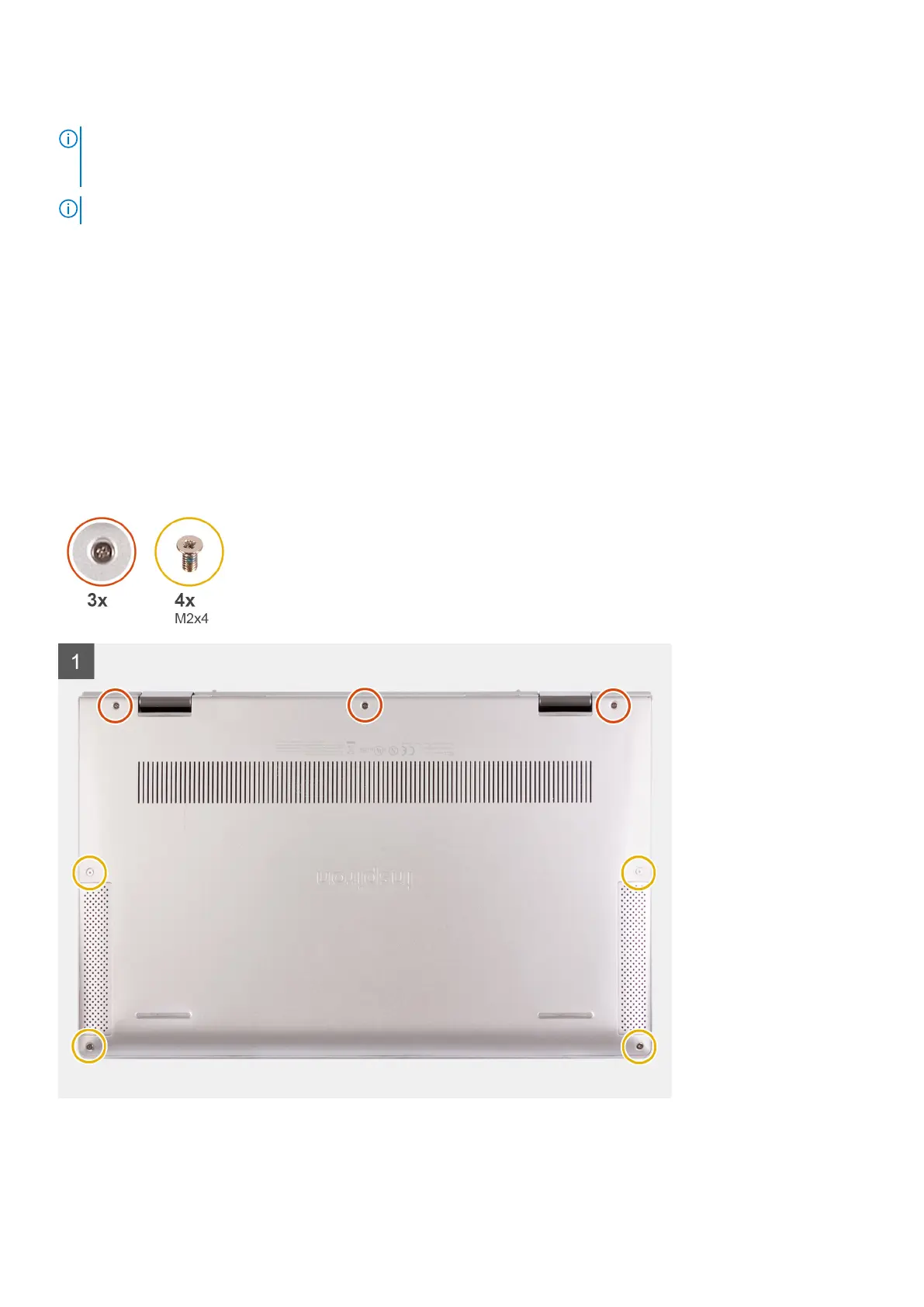
The following image(s) indicate the location of the base cover and provides a visual representation of the removal procedure.
Removing and installing components 11



 To Next Page