About this task
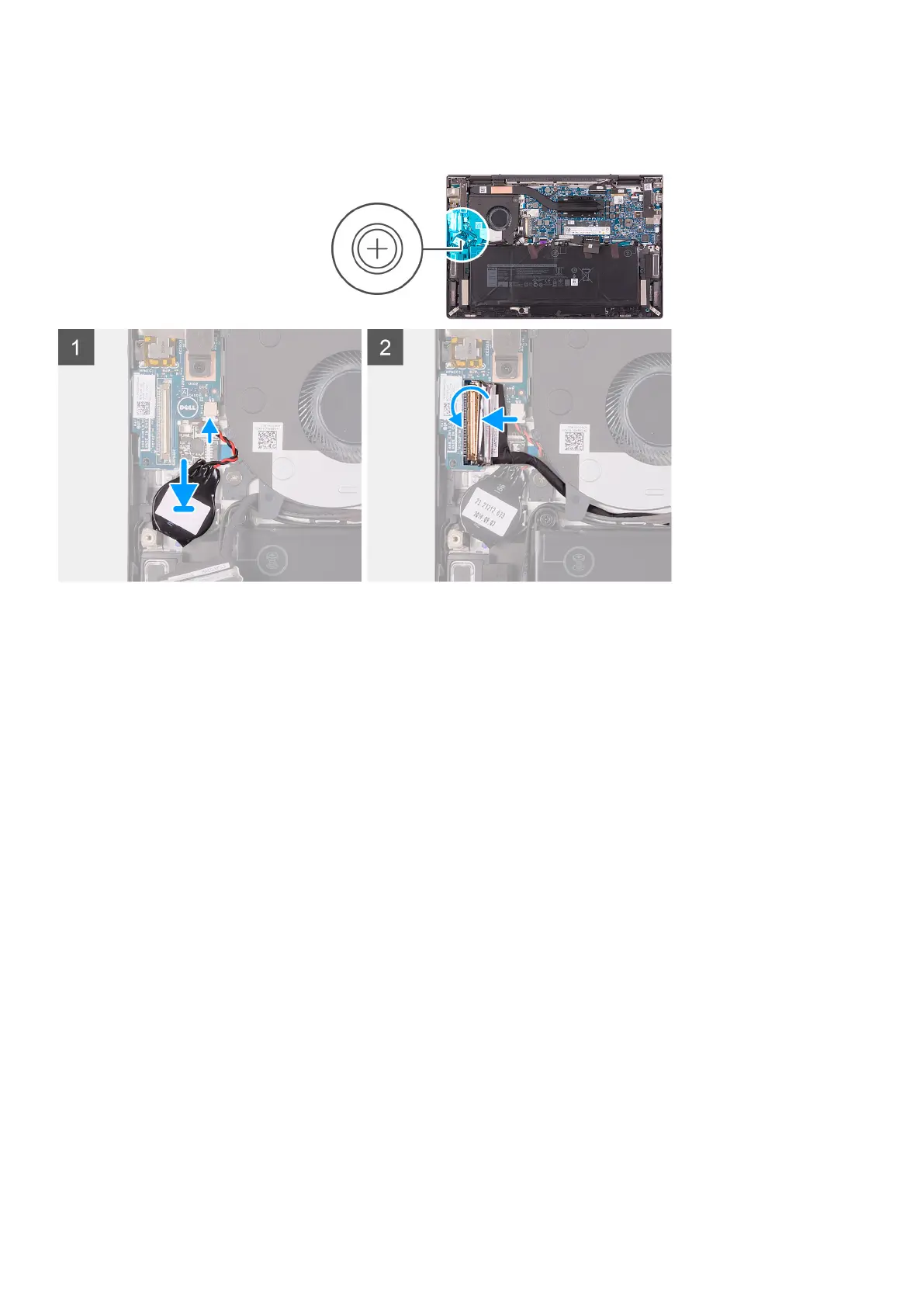
The following image(s) indicate the location of the coin-cell battery and provides a visual representation of the installation
procedure.
Steps
1. Connect the coin-cell battery cable to the I/O board.
2. Adhere the coin-cell battery to the palm-rest assembly.
3. Connect the I/O-board cable to the I/O board and close the latch.
4. Adhere the tape that secures the I/O-board cable-latch to the I/O board.
Next steps
1. Install the base cover.
2. Follow the procedure in After working inside your computer.
I/O board
Removing the I/O board
Prerequisites
1. Follow the procedure in Before working inside your computer.
2. Remove the base cover.
About this task
The following image(s) indicate the location of the I/O board and provides a visual representation of the removal procedure.
Removing and installing components
31



 To Next Page