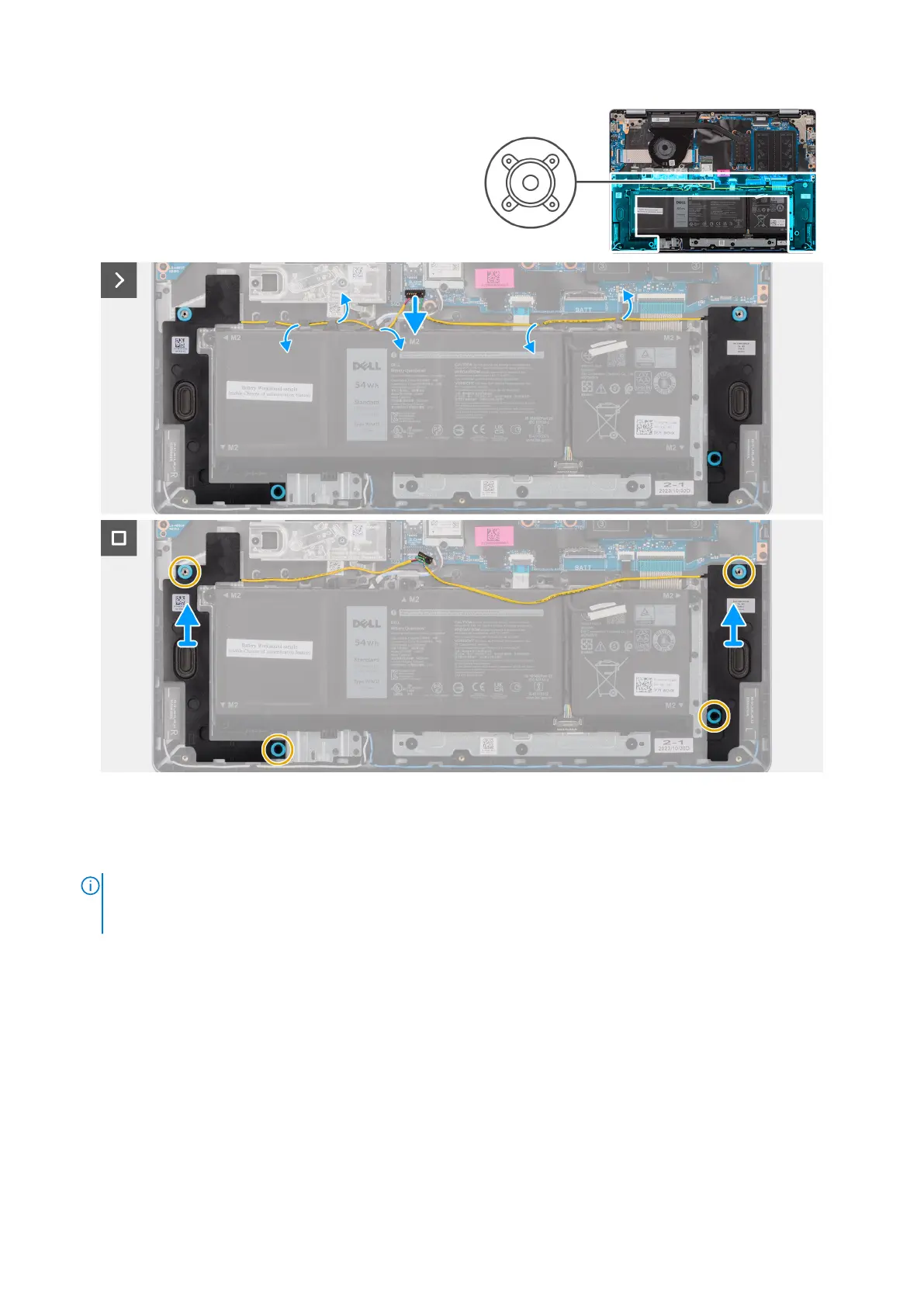
Figure 16. Removing the speakers
Steps
1. Disconnect the speaker cable from its connector (SPK) on the system board.
NOTE:
To disconnect the speaker cable from the connector on the system board, pry up the bottom side of the cable
connector’s head first and then pull it away from the connector (SPK) on the system board. DO NOT pull the cable
downwards to disconnect the speaker cable from the system board.
48 Removing and installing Customer Replaceable Units (CRUs)



 To Next Page