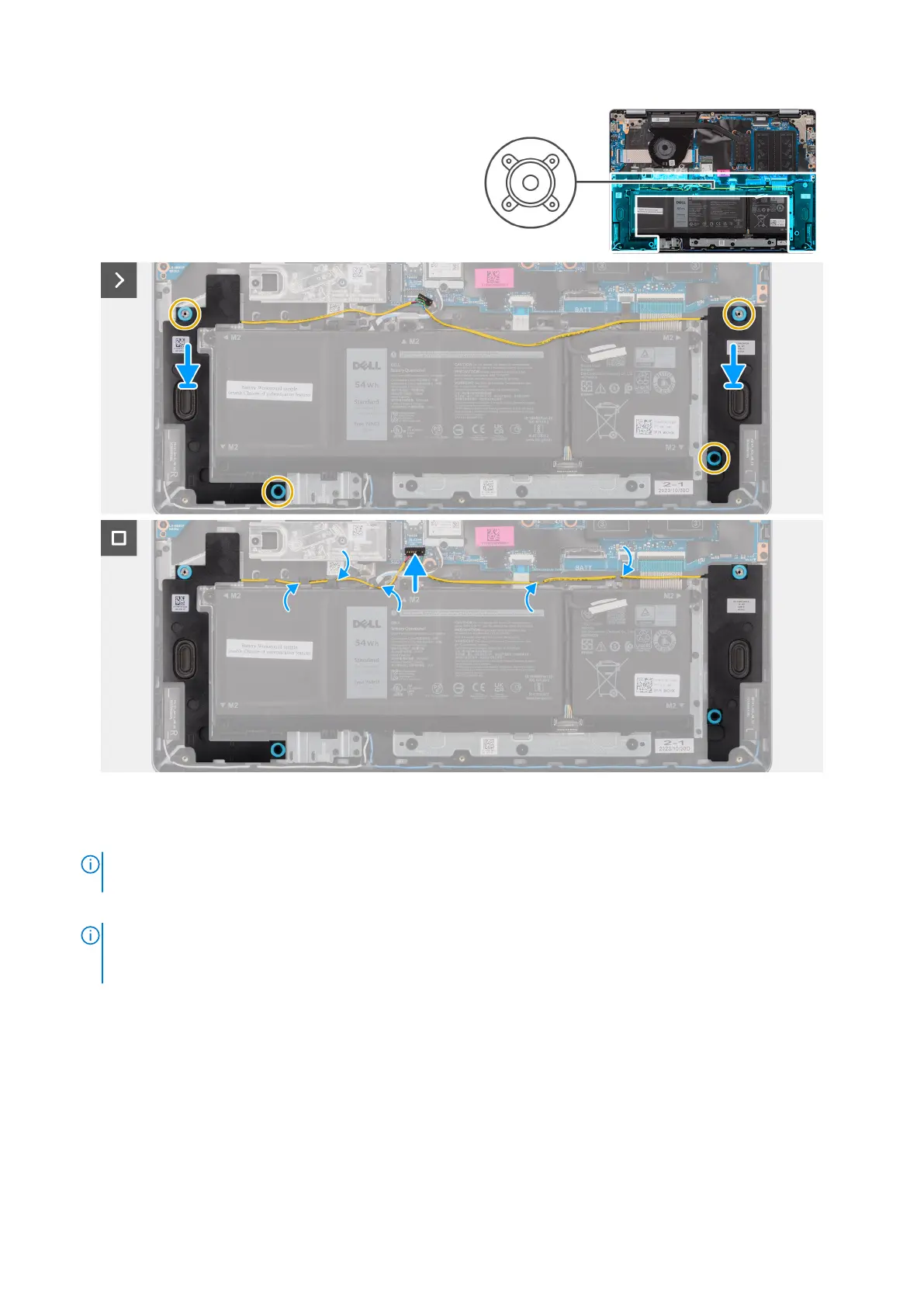
Figure 17. Installing the speakers
Steps
1.
NOTE:
If the rubber grommets are pushed out when removing the speakers, push them back in before replacing the
speakers.
Using the alignment posts and rubber grommets, place the speakers in the slots on the palm-rest and keyboard assembly.
NOTE:
Ensure that the alignment posts are threaded through the rubber grommets on the speakers. After placing
speakers on the palm-rest and keyboard assembly, ensure that rubber grommets are seated into the slot and installed on
the speakers properly.
50 Removing and installing Customer Replaceable Units (CRUs)



 To Next Page