Prerequisites
1. Follow the procedure in Before working inside your computer.
2. Remove the base cover.
3. Remove the battery.
About this task
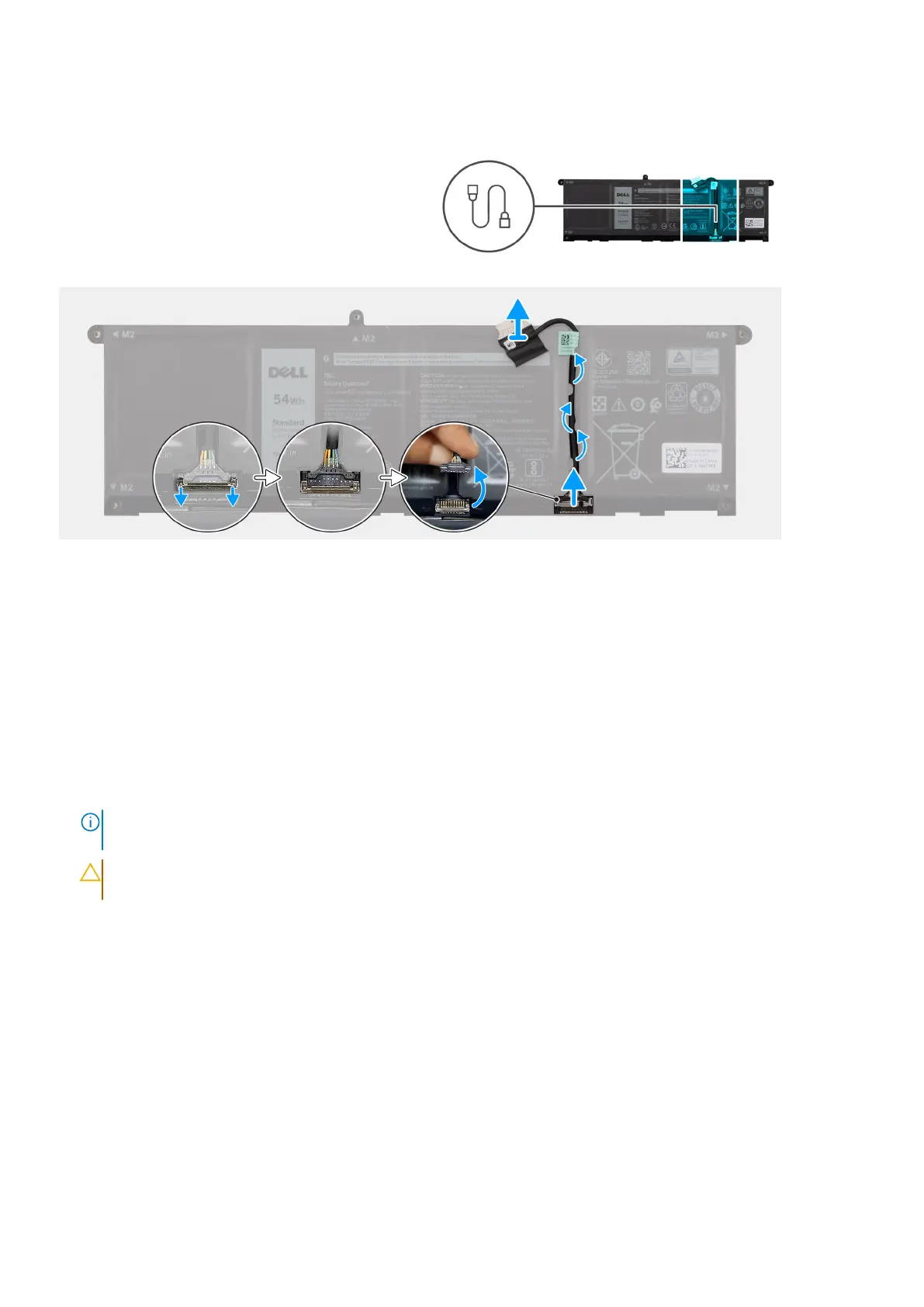
The following image indicates the location of the battery cable and provides a visual representation of the removal procedure.
Figure 21. Disconnecting the battery cable
Steps
1. Remove the battery cable from the routing guides on the battery. To disconnect the battery cable, first push the latch
downward to release the connector, and then pull the connector upward to disconnect it from the battery.
2. Open the latch and disconnect the battery cable from the connector on the battery.
NOTE:
To disconnect the battery cable, first push the latch downward to release the connector, and then pull the
connector upward to disconnect it from the battery.
CAUTION: DO NOT disconnect the battery cable from the battery by pulling the battery cable. This may
damage the battery or the battery cable.
56 Removing and installing Field Replaceable Units (FRUs)



 To Next Page