Steps
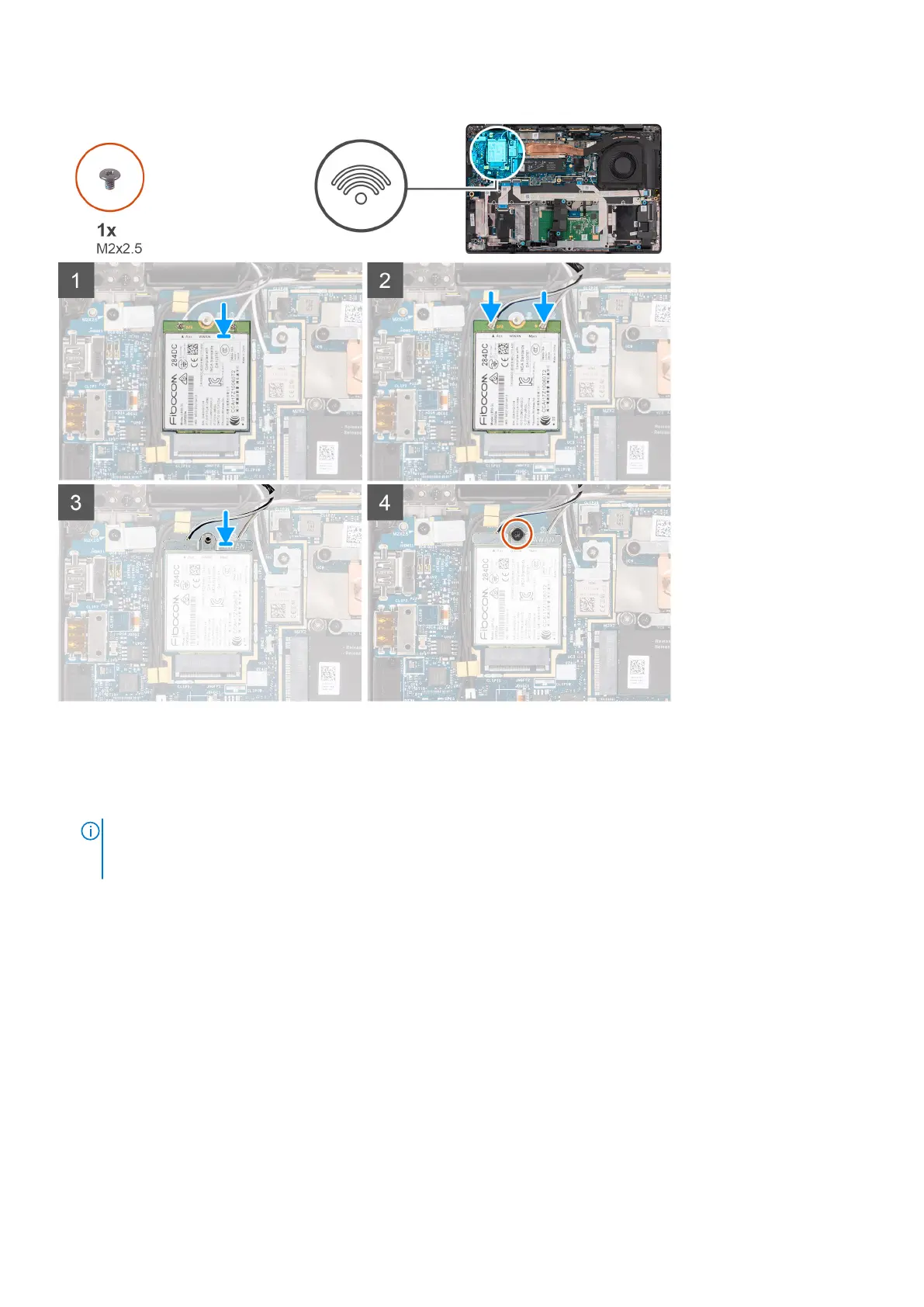
1. Align the notch on the 4G WWAN card with the tab on the M.2-card slot on the system board.
2. Slide the 4G WWAN card firmly into the M.2-card slot on the system board.
3. Connect the antenna cables to the connectors on the 4G WWAN card.
NOTE:
For computers shipped with a Cat 16 WWAN card that has four connectors, connect the #5 white/gray antenna
cable to the main connector at the very right of the WWAN card and the #6 black/gray antenna cable to the Aux 1
connector at the very left.
Removing and installing components 33



 To Next Page